Year: 2020

12 Aug 2020

Samsung Galaxy Watch 3 review

Samsung makes good smartwatches. The fact tends to get lost in discussions about a category that’s traditionally been so dominated by a single player. Things have shifted a bit of late, globally. Apple’s market share has slipped somewhat and Huawei and Samsung have been there to pick up some of the pieces.

Here in the States, Huawei is less of a player for reasons that should be painfully obvious. Google’s Wear OS is — for now at least — a non-starter. Acquisition target Fitbit has made a dent with its solid smartwatches, though it’s not quite a juggernaut. Same goes for Garmin, which does well, but commands a relatively small niche. For those looking for Android compatibility — or just an Apple alternative, generally — Samsung continues to be your best shot.

The company has long approached its wearables with a similar philosophy to the one that governs its smartwatches: lots of options, plenty of features and a big, flashy footprint. For my money, however, the top-line feature on the Galaxy Watch 3 is the return of the rotating bezel. The company recently abandoned it for its Active line, attempting to convince us that a haptic approximation was just as good. It wasn’t.

The ability to toggle between screens by spinning the border of the display has long been the Gear line’s most distinguishing characteristic — and the best smartwatch input by far. The Apple Watch crown isn’t even close. It was an odd choice for Samsung to drop it, even for a splinter line of watches. It’s back, thankfully, made from the same stainless steel casing as the rest of the watch body and sporting a perforated ridge for a better grip. There’s something satisfying in the ability to smoothly spin between screens.

The bezel is a bit thinner this time out, matching an overall reduction in case size. All told, the 3 is 14% thinner, 8% smaller and 15% lighter than the original Galaxy Watch. The 45mm model is still large, compared to other smartwatches, but this goes a ways toward addressing what’s long been one of my chief complaints with the line. Ditto for the availability of a 41mm version. Past Galaxy Watches have felt needlessly bulky — an issue with a device intended to wear on one’s person all day and night.
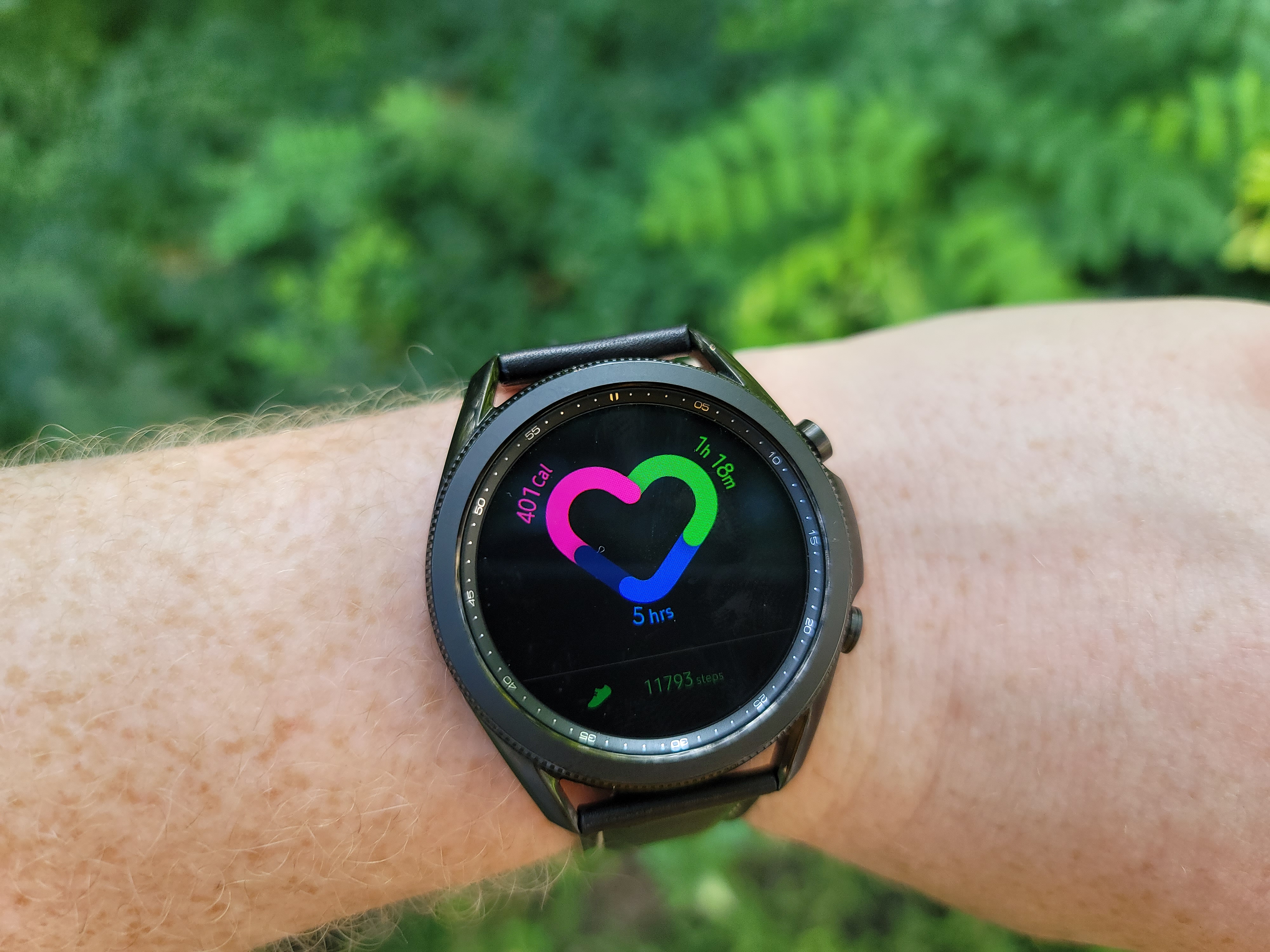
Image Credits: Brian Heater

The watch is still a bit big for my personal tastes, but outside of the Active line, this is definitely the most comfortable Samsung watch in some time. The metallic casing also has a fairly timeless design, as far as smartwatches go, maintaining a sporty look that’s been a standard of the line for a few generations now. I tend to prefer something a bit more minimalistic. For me, the S2 was and continues to be the pinnacle of design language for the line, but I recognize that plenty of people prefer something a bit more…complex.

The screen measures 1.4 inches on the 45mm and 1.2 inches on the 41mm — a touch smaller than the 1.65/1.5 inches found on the Apple Watch. Though, obviously the round design also offers up a different form factor. The screen is nice and clear and reads pretty well in daylight, thanks in part to the ambient light sensor. The model ships with a nice leather band, and thanks to its standardized fit, can be swapped out with an essentially infinite list of different third-party bands.

Tizen has always seemed like an odd choice, but Samsung’s very much made the operating system its own here, as Google has struggled for wider adoption with its own wearable OS. The watch’s app selection continues to lag Apple, including some bigger-name developers. There are some important partners here — most notably Spotify. With Apple making major plays on both the watch and streaming front, the partnership makes a lot of sense for both parties. Among other key features is the ability to download playlists directly to the device, so you can leave the phone at home for a workout, if you’re so inclined.

And what the Galaxy Store lacks in apps, it more than makes up for in watch faces, with more than 80,000 currently available. There are also some 40 different modular complications. You can also create custom faces by taking an image of real world patterns.

Battery life is decent, as long as you turn off the always-on display. By doing so, I was able to get a couple of hours short of two full days of life. That’s not exceptional, but it should help you take advantage of the sleep tracking a few days a week, assume you’re comfortable falling a sleep with sizable watch on your wrist. That admittedly takes some getting used to. With alway-on enabled, you can expect to get about half that total.
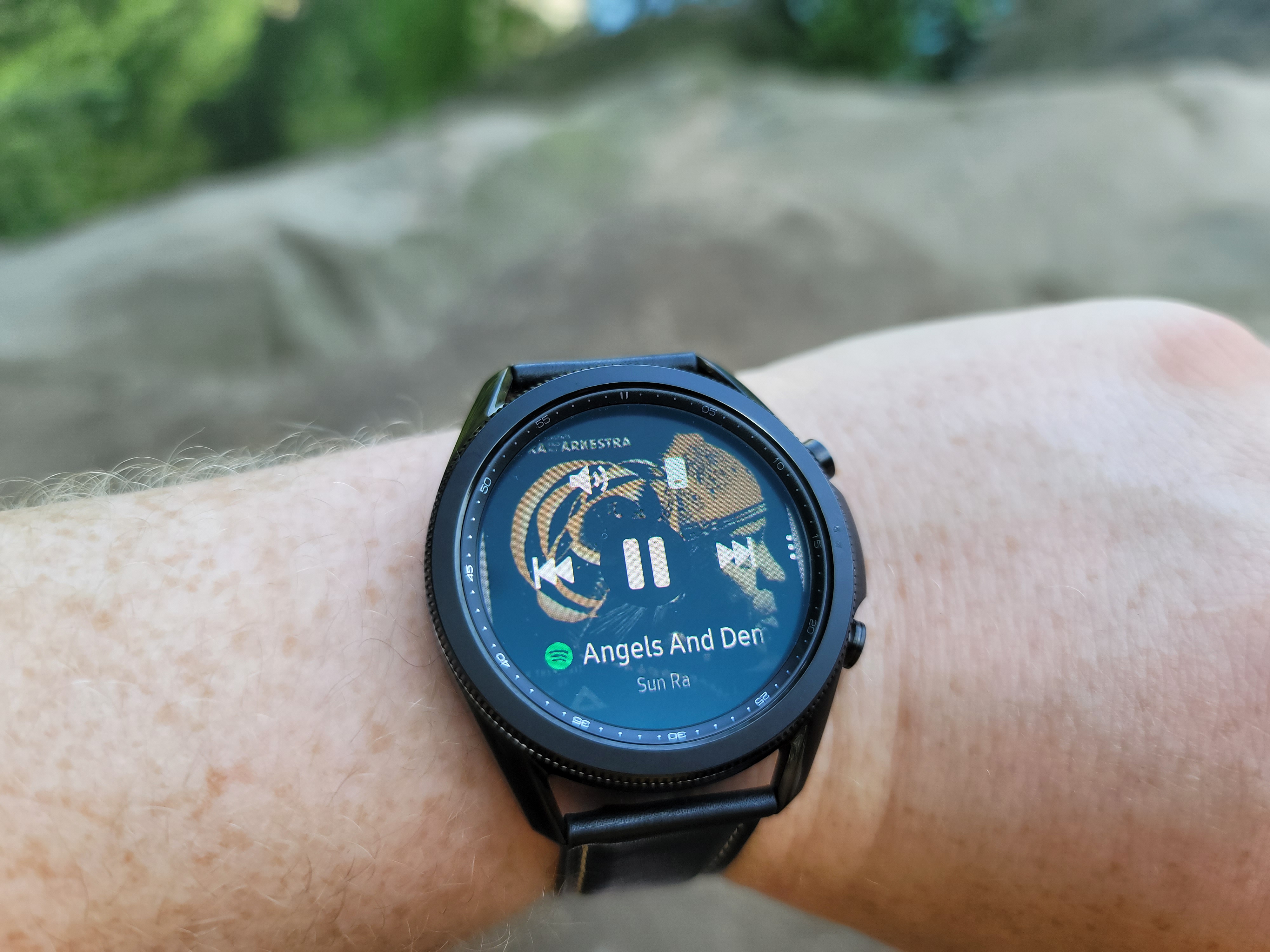
Image Credits: Brian Heater

The watch does a good job autodetecting select workouts. Running analysis goes a bit deeper, adding to a feature introduced with the Active 2. After a rub is complete, it breaks down the specifics of your run mechanics (as best it can as a wrist-worn monitor) in an attempt to help reduce running-related injury. As a current former runner, I can attest to the fact that poor form is a real good way to injure yourself.

As Apple is finally getting series about sleep tracking on its watch, Samsung is smoothing out its own experience. The watch breaks down light, deep and REM sleep, offering up a score for the night. I found myself getting scores in the 40s — not great, given that people in my age range apparently score around a 70. Samsung also offers up features like mindfulness and stress management to get that under control. Personally, I think getting better sleep on  my end is going to take “not constantly thinking about COVID” feature.
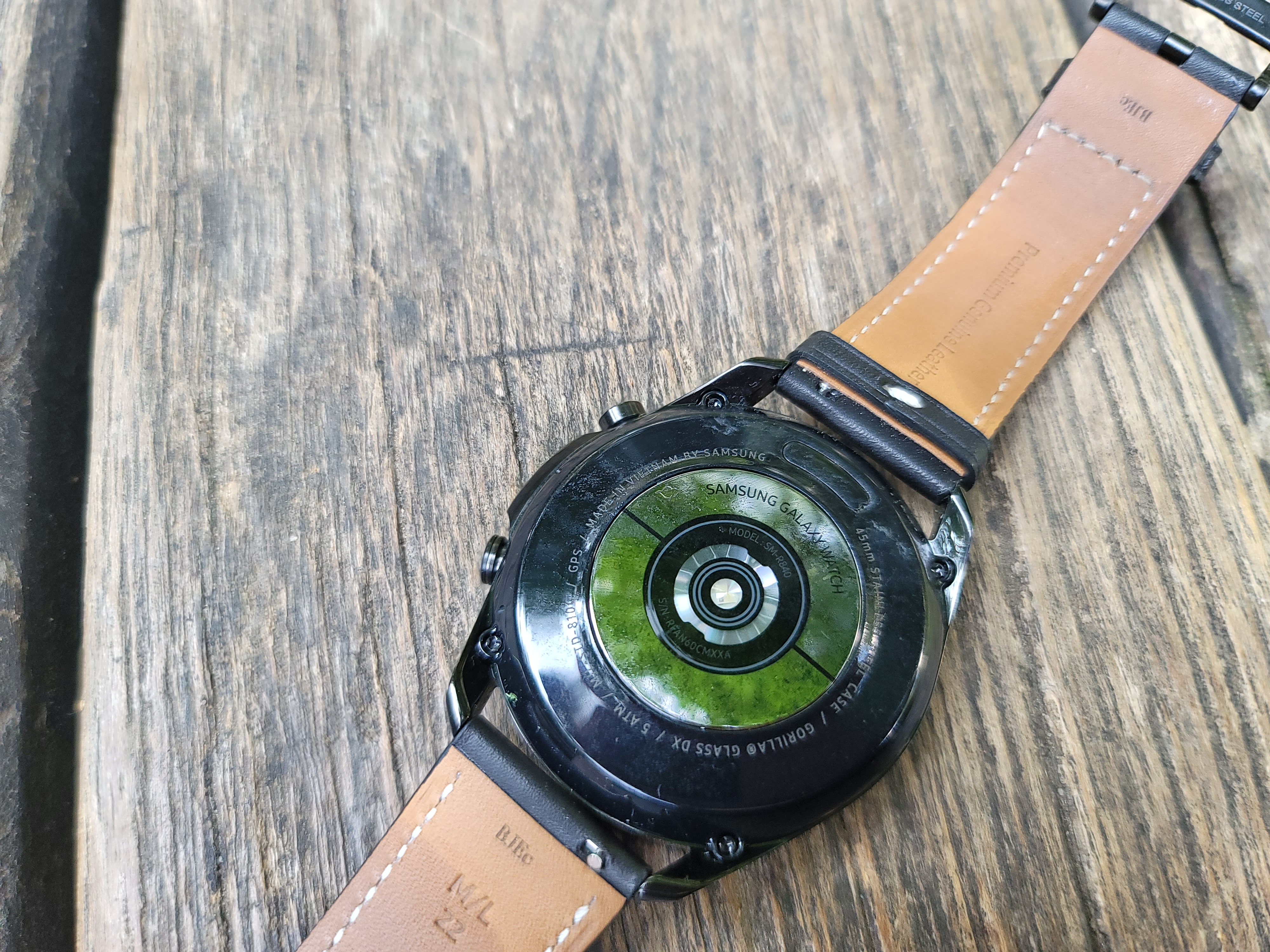
Image Credits: Brian Heater

Two key health additions aren’t ready out of the box here in the states: both the EKG reader and blood pressure detector will have to wait for all of the standard regulatory approval, so I’ll hold off judgment accordingly.

Samsung’s certainly not attempting to price competitively here. At $400 and $430 for the for the 41mm and 45mm versions, it’s a premium price tag. It’s clear that the company doesn’t see companies like Huawei or even Fitbit as its primary competitors. As with its flagship smartphones, Samsung’s got Apple firmly in its sights, and it’s priced to match. Apple is far and away still the best option for iOS users, but when it comes to Android, not many can compete with Samsung’s premium offering.


12 Aug 2020

What’s different about hiring data scientists in 2020?

It’s 2020 and the world has changed remarkably, including in how companies screen data science candidates. While many things have changed, there is one change that stands out above the rest. At The Data Incubator, we run a data science fellowship and are responsible for hundreds of data science hires each year. We have observed these hires go from a rare practice to being standard for over 80% of hiring companies. Many of the holdouts tend to be the largest (and traditionally most cautious) enterprises. At this point, they are at a serious competitive disadvantage in hiring.

Historically, data science hiring practices evolved from software engineering. A hallmark of software engineering interviewing is the dreaded brain teaser, puzzles like “How many golf balls would fit inside a Boeing 747?” or “Implement the quick-sort algorithm on the whiteboard.” Candidates will study for weeks or months for these and the hiring website Glassdoor has an entire section devoted to them. In data science, the traditional coding brain teaser has been supplemented with statistics ones as well — “What is the probability that the sum of two dice rolls is divisible by three?” Over the years, companies are starting to realize that these brain teasers are not terribly effective and have started cutting down their usage.

In their place, firms are focusing on project-based data assessments. These ask data science candidates to analyze real-world data provided by the company. Rather than having a single correct answer, project-based assessments are often more open-ended, encouraging exploration. Interviewees typically submit code and a write-up of their results. These have a number of advantages, both in terms of form and substance.

First, the environment for data assessments is far more realistic. Brain teasers unnecessarily put candidates on the spot or compel them to awkwardly code on a whiteboard. Because answers to brain teasers are readily Google-able, internet resources are off-limits. On the job, it is unlikely that you’ll be asked to code on a whiteboard or perform mental math with someone peering over your shoulder. It is incomprehensible that you’ll be denied internet access during work hours. Data assessments also allow the applicants to complete the assessment at a more realistic pace, using their favorite IDE or coding environment.

“Take-home challenges give you a chance to simulate how the candidate will perform on the job more realistically than with puzzle interview questions,” said Sean Gerrish, an engineering manager and author of “How Smart Machines Think.”

Second, the substance of data assessments is also more realistic. By design, brainteasers are tricky or test knowledge of well-known algorithms. In real life, one would never write these algorithms by hand (you would use one of the dozens of solutions freely available on the internet) and the problems encountered on the job are rarely tricky in the same way. By giving candidates real data they might work with and structuring the deliverable in line with how results are actually shared at the company, data projects are more closely aligned with actual job skills.

Jesse Anderson, an industry veteran and author of “Data Teams,” is a big fan of data assessments: “It’s a mutually beneficial setup. Interviewees are given a fighting chance that mimics the real-world. Managers get closer to an on-the-job look at a candidate’s work and abilities.” Project-based assessments have the added benefit of assessing written communication strength, an increasingly important skill in the work-from-home world of COVID-19.

Finally, written technical project work can help avoid bias by de-emphasizing traditional but prejudicially fraught aspects of the hiring process. Resumes with Hispanic and African American names receive fewer callbacks than the same resume with white names. In response, minority candidates deliberately “whiten” their resumes to compensate. In-person interviews often rely on similarly problematic gut feel. By emphasizing an assessment closely tied to job performance, interviewers can focus their energies on actual qualifications, rather than relying on potentially biased “instincts.” Companies looking to embrace #BLM and #MeToo beyond hashtagging may consider how tweaking their hiring processes can lead to greater equality.

The exact form of data assessments vary. At The Data Incubator, we found that over 60% of firms provide take-home data assessments. These best simulate the actual work environment, allowing the candidate to work from home (typically) over the course of a few days. Another roughly 20% require interview data projects, where candidates analyze data as a part of the interview process. While candidates face more time pressure from these, they also do not feel the pressure to ceaselessly work on the assessment. “Take-home challenges take a lot of time,” explains Field Cady, an experienced data scientist and author of “The Data Science Handbook.” “This is a big chore for candidates and can be unfair (for example) to people with family commitments who can’t afford to spend many evening hours on the challenge.”

To reduce the number of custom data projects, smart candidates are preemptively building their own portfolio projects to showcase their skills and companies are increasingly accepting these in lieu of custom work.

Companies relying on old-fashioned brainteasers are a vanishing breed. Of the recalcitrant 20% of employers still sticking with brainteasers, most are the larger, more established enterprises that are usually slower to adapt to change. They need to realize that the antiquated hiring process doesn’t just look quaint, it’s actively driving candidates away. At a recent virtual conference, one of my fellow panelists was a data science new hire who explained that he had turned down opportunities based on the firm’s poor screening process.

How strong can the team be if the hiring process is so outmoded? This sentiment is also widely shared by the Ph.D.s completing The Data Incubator’s data science fellowship. Companies that fail to embrace the new reality are losing the battle for top talent.

12 Aug 2020

Does ??? illustrate the power of meme culture in fundraising?

Fundraising was once a formal process.

A decade ago, founders would make pilgrimages to the stodgy investor offices that line Sand Hill Road. Now, as the coronavirus ravages the world and venture capital grows as an asset class, a first “yes” can come from an investor-matching tool built on Notion, or an entire fund can come together over a Zoom call. In this era, Twitter DMs are better for deal flow than walking around a conference.

As startup-land becomes more informal, a new generation of early-stage founders are searching for ways to make the relaxed new world work in their favor. One way this is happening?

Meme culture as a signaling mechanism.

Before Gefen Skolnick, founder of Couplet Coffee, launched her company and Slack channel for underrepresented and underresourced groups in tech, she established credibility in a unique way.

Skolnick was part of the Eye Mouth Eye ( ???) campaign that rocked Silicon Valley in June 2020. The cryptic effort was a statement on how FOMO and hype culture dominate venture capital conversations. Participants in the campaign changed their Twitter names, tweeted cryptically and earned more than 20,000 email subscribers for a product that did not even exist.

Skolnick says Eye Mouth Eye gave her a larger platform, which she’s leveraging by stepping up the pace of posting new content and launching products. She said the stunt gave her “sign-offs” from high-profile individuals, and investors have been blowing up her inbox.

“My fundraising experience has just been angel investors DMing me to tell me they’re investing,” she said.

Meme culture, she says, is the “best way the younger generation can showcase their insights, humor and commentary in a more digestible and shareable format.”

12 Aug 2020

The Philips Hue Play HDMI Sync Box makes any home theater a bit more theatrical

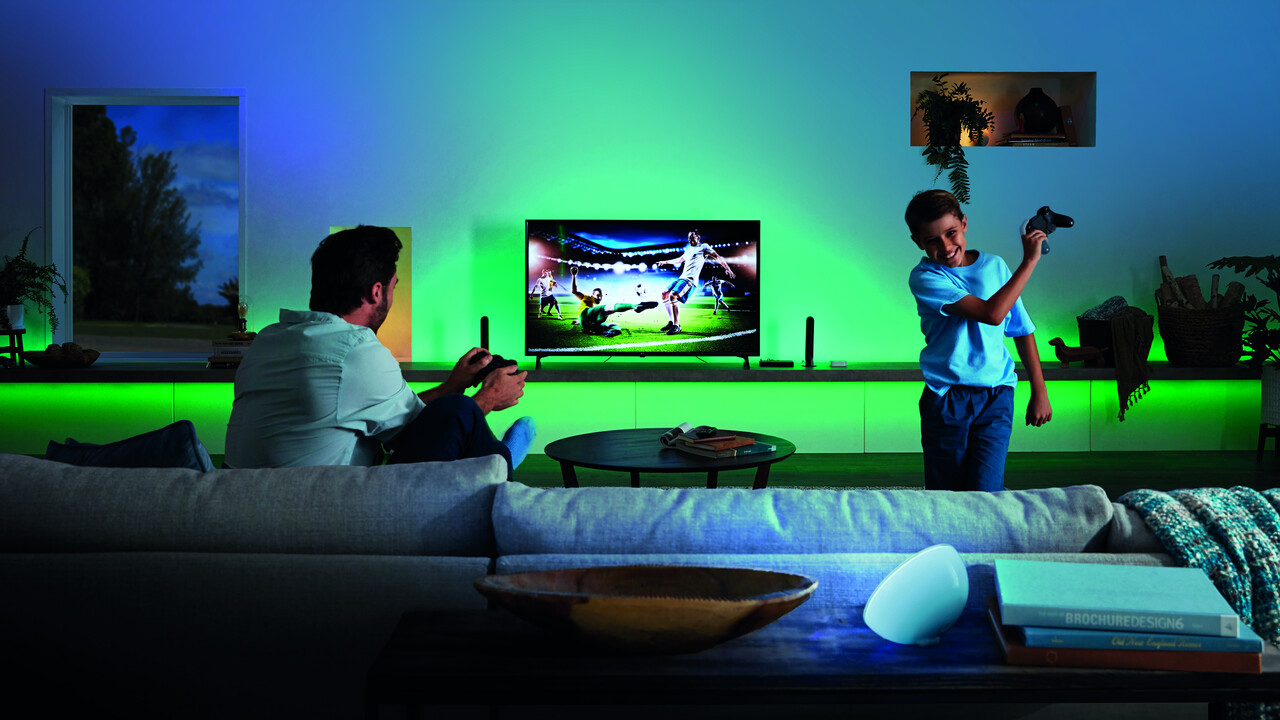
Philips has steadily expanded its Hue line of smart lighting products to cover the entire home, inside and out. But while the ability to remotely control your lighting, including adjusting color, intensity and brightness is great, one of its more recent products focuses more on how to turn all those connected lights into a dynamic, at-home interactive entertainment experience. The Philips Hue Play HDMI Sync Box is a relatively simple device that sits between your video sources, including things like game consoles and the Apple TV, and your television, enabling synced light shows that can take advantage of a wide range of Hue products.

The basics

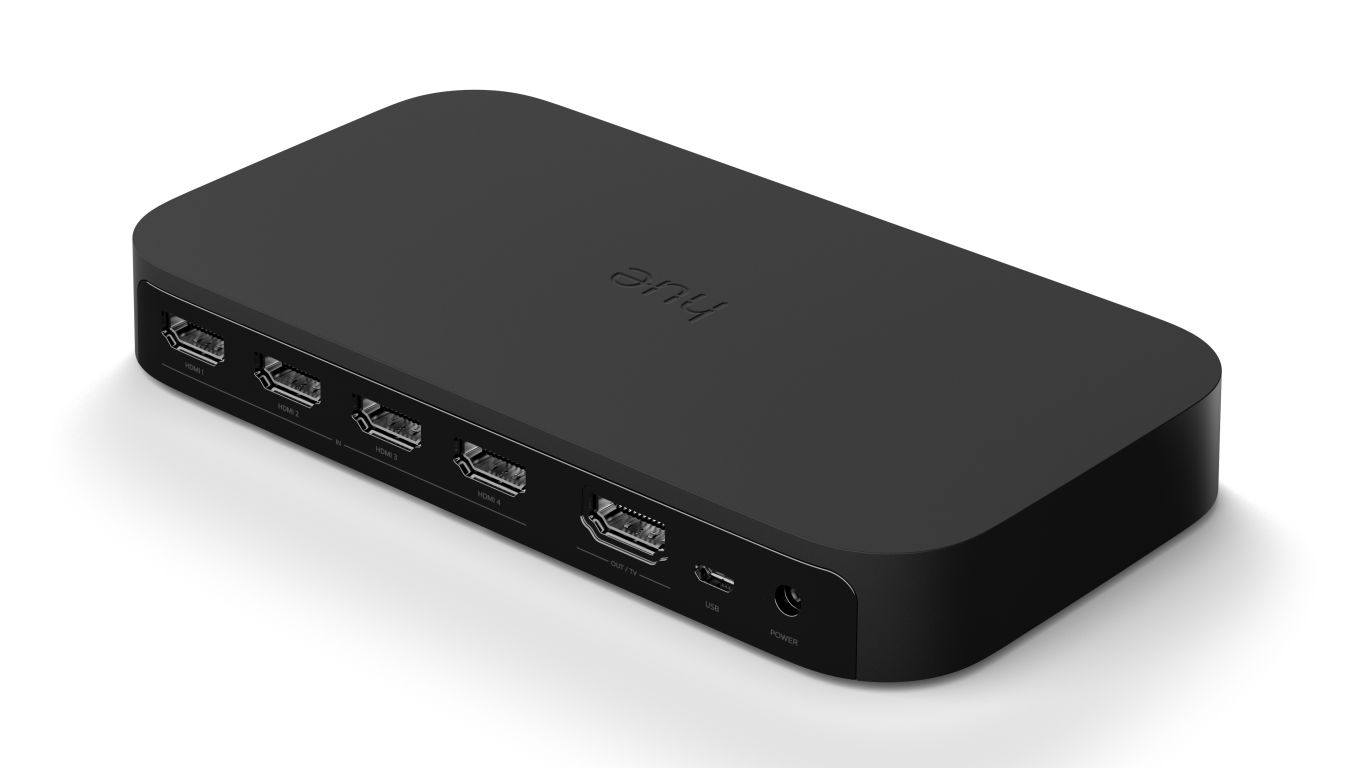
The Hue Play HDMI Sync Box is at core an HDMI switcher, offering four HDMI inputs and a single HDMI output.  Signals from your input devices (ie. Apple TV, Roku, Xbox, PS4, etc.) go into the box, and are passed through to the TV, with switching happening automatically depending on which device is most recently active (you can also change them manually with the app and with voice controls).

The Sync Box supports a range of modern quality standards for display and audio, and even more recently thanks to a firmware update released by Philips earlier this year. It supports 4K 60Hz resolution, HDR10+ and Dolby Vision standards, as well as Dolby Atmos surround sound. It also supports HDMI 2.0b with HDCP 2.2 compliance for copyright protection.

You will need not only Hue colored lights, but also a Hue Bridge (the second-generation, rounded square version) to ensure that the Hue Sync Box is more than just a particularly expensive HDMI hub, but it does that job very well, too. If you do have Hue products, like the Hue Play light bars that can easily mount on top of your TV stand or to the back of your TV itself, or the Hue Signe multi-colored floor or table lamps, then you can use the Sync companion app to ensure your lights reflect what’s going on on screen – for any video that plays through the box from any source.

Image Credits: Philips

Design and performance

Why would you want this? Well, mostly because it looks really, really cool. Hue Sync has already been available as a software feature for you to use with video played back on Macs and PCs, when used in combination with a monitoring tool, but that has a lot of limitations, including not being able to work with official Netflix apps and Netflix in the browser. The Sync Box eliminates any potential roadblocks and also means you can use regular streaming and gaming sources without having to run a media center PC.

The box itself is relatively large, but that seems like it’s mostly to accommodate the multiple HDMI ports. It’s very short, despite being about twice the surface area of an Apple TV, so it should be very easy to integrate into your existing home theatre setup, whatever that entails.

Setting up the Hue Play HDMI Sync Box is very easy, and requires only installing the app and pressing the sync button on your Hue Bridge when instructed to do so. As mentioned, you can plug in up to four sources and the box will switch between them automatically when you use an input device, or you can also manually change the input (and rename them) using the app. The app also allows you to tweak the intensity, brightness and responsiveness of the light, making it more subtle or more extreme, depending on your preferences and your activity. A ‘Game’ setting, for instance, sets it to maximum intensity and responsiveness for a more dynamic effect befitting fast-paced interactive content.

Image Credits: Philips

I found that the lighting was extremely good at mimicking the colors and brightness of a scene, especially if you take the time to accurately set up the position of your Hue lights for a dedicated “entertainment area” in the official main Hue app. It’s an effect that, when used in its most subtle settings, can basically fade away but still provide genuine enhancement for the watching experience, making it feel more immersive. At its maxed out settings, it’s much more noticeable, but still something that basically fades away into the background over an extended period of use, in a good way.

Especially since the firmware update, the Hue Play Sync Box has proven a fantastic addition to my home theater setup, providing an extra bit of flair to every TV watching experience. It’s obviously more effective in dark rooms, but it really seems to especially complement high-quality OLED screens that produce vibrant colors and true, deep blacks.

Bottom line

The Hue Play HDMI Sync Box is a bit of an extravagance at $229.99, but it definitely adds to the overall home TV-watching experience, for movies, streaming, and for gaming. The four HDMI inputs mean you can also use it to add more ports to your TV, if that’s something you need, and the recent updates mean you’re not going to sacrifice any video quality while doing so.


12 Aug 2020

Save with group discounts to TC Sessions: Mobility 2020

If you’re tech-obsessed about the future of moving people, products and packages around the world, you do not want to miss TC Sessions: Mobility 2020 on Oct. 6-7. Two packed days of online programming feature the people leading the charge — creative thinkers, innovative makers, dedicated engineers and savvy investors across the mobility and transportation startup ecosystem.

Join your tribe and dive into the conversation. Early bird tickets cost $145 but, like they say, the more the merrier. Take advantage of our group discount, bring your crew and save $25 per ticket when you buy four or more passes before prices go up on September 4 at 11:59 pm (PT).

We’ve built a stellar line up of speakers, breakout sessions and demos, and we’ll announce a few more additions in the weeks ahead. Read on for a taste of what you can expect, and you can check out the agenda here.

  • Roll in the autonomous scooters! Dmitry Shevelenko is the co-founder of Tortoise, a startup focused on automatic repositioning for micromobility vehicles. He’ll join us to talk about, among other things, using autonomous technology in tandem with remote human intervention.
  • Let’s talk investing, shall we? You’ll be hard pressed to find anyone with more experience in mobility investment than Olaf Sakkers, general partner at Maniv Mobility, a global investment fund. We can’t wait to hear his expert perspective.
  • Porsche, always an electrifying car, is set to take on electric cars in a big way — expanding on the Taycan, which the sports car manufacturer unveiled in September. Where is Porsche headed next? That’s what we’ll ask Klaus Zellmer, the president and CEO of Porsche Cars North America, when he joins us on stage.

In a classic “but wait there’s more” moment, we’ll also have dozens of exhibiting startups and plenty of opportunity to network and recruit. CrunchMatch — our free business match-matching platform — makes setting up meetings with the right investors, founders, engineers and students easier, faster and more productive. You never know who you’ll meet at a TechCrunch event — or where that connection will lead.

Meet, greet, connect and learn at TC Sessions: Mobility 2020 on Oct. 6 – 7. Grab your posse and jump on this group discount opportunity. You’ll save $25 off the early-bird ticket price when you buy four or more passes before Sept. 4 at 11:59 pm (PT). Save, adapt and keep moving forward.

Is your company interested in sponsoring or exhibiting at TC Sessions: Mobility 2020? Contact our sponsorship sales team by filling out this form.

12 Aug 2020

When you need content to build links, use social proof of concept