Ironclad, a startup that makes it easier for legal teams to manage their contracts workflow, today announced that it has raised a $50 million Series C round led by Y Combinator Continuity, with participation from Emergence Captial, as well as existing investors including Access and Sequoia Capital. This round brings Ironclad’s total funding to $83 million, according to Crunchbase.
In addition to the new funding, Ironclad, which was part of Y Combinator’s Summer 2015 class, also today announced the launch of its Workflow Designer. This tool allows teams to easily create their own custom workflows based their individual business processes and timelines. Setting up those workflows looks be a pretty straightforward process. After tagging the existing contract, teams can then set up their processes based on what’s in a specific document. If a contract is over a specific value, for example, they can add a payment clause, or set up an approval process based on that value.
Workflow Designer complements the service’s existing tools for managing the contract lifecycle and collaborating on legal documents.
The company says it will use the new funding to expand into new geographies and expand its product.
“This round and our continued momentum highlights how big the opportunity is to streamline contracting for every type of company in the world,” said Jason Boehmig, co-founder and CEO of Ironclad. “Our newest investors bring a depth of later stage company experience and a vision for what Cloud companies will look like in the future. Our new funding will fuel continued product innovations, like our new Workflow Designer, which is accelerating contracting time by 85% for our customers.”
That’s right: Mattress startup Casper is launching its own version of CBD-infused gummies, created in partnership with edibles company Plus.
This is just the latest in Casper’s efforts to expand beyond mattresses with the addition of sheets, pillows, dog beds, portable lamps and more. In a recent New York Times profile, the company said its goal is to become the “Nike of sleep,” with an ever-widening lineup of sleep-related products.
Even with all that in mind, I wasn’t expecting the company’s next launch to involve CBD. But in a statement, Casper co-founder and Chief Strategy Officer Neil Parikh connected this launch to the company’s bigger vision:
The options for sleep improvement have been historically limited to a late night Google search or a prescription from your doctor. It’s our mission to change that as the world’s first Sleep Company. Introducing CBD sleep gummies with PLUS allows us to bring a new way to relax and rest to those who need it.
It looks like Plus is handling the actual sales of the CBD Sleep Gummies, which will cost $35 for a package of 14. Each blackberry tea-flavored gummy is supposed to include 25 milligrams of CBD, along with chamomile extract and 1 milligram of melatonin.
Plus says it ships to all U.S. states except Alaska, Idaho, Iowa, Hawaii, Mississippi, Oklahoma and South Dakota.
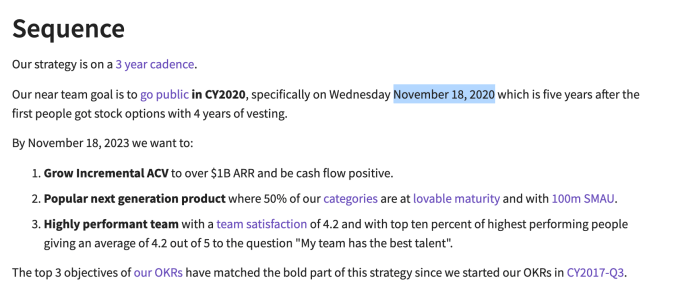
GitLab is a company that doesn’t pull any punches or try to be coy. It actually has had a page on its website for sometime stating it intends to go public on November 18, 2020. You don’t see that level of transparency from late-stage startups all that often. Today, the company announced a huge $268 million Series E on a tidy $2.768 billion valuation.
Investors included Adage Capital Management, L.P, Alkeon Capital, Altimeter Capital, Blackrock, Inc., Capital Group, Coatue Management, D1 Capital Partners, Franklin Templeton, Light Street Capital, Tiger Management Corp and Two Sigma Investments LP.
The company seems to be primed and ready for that eventual IPO. Last year, GitLab co-founder and CEO Sid Sijbrandij says that his CFO Paul Machle told him he wanted to begin planning to go public, and he would need two years in advance to prepare the company. As Sijbrandij tells it, he told him to pick a date.
“He said, I’ll pick the 16th of November because that’s the birthday of my twins. It’s also the last week before Thanksgiving, and after Thanksgiving, the stock market is less active, so that’s a good time to go out,” Sijbrandij told TechCrunch.
He said that he considered it a done deal and put the date on the GitLab Strategy page, a page that outlines the company’s plans for everything it intends to do. It turned out that he was a bit too quick on the draw. Machle had checked the date in the interim and realized that it was a Monday, which is not traditionally a great day to go out, so they decided to do it two days later. Now the target date is officially November 18, 2020.
GitLab has the date it’s planning to go public listed on its Strategy page.
As for that $268 million, it gives the company considerable runway ahead of that planned event, but Sijbrandij says it also gives him flexibility in how to take the company public. “One other consideration is that there are two options to go public. You can do an IPO or direct listing. We wanted to preserve the optionality of doing a direct listing next year. So if we do a direct listing, we’re not going to raise any additional money, and we wanted to make sure that this is this is enough in that case,” he explained.
Sijbrandij says that the company made a deliberate decision to be transparent early on. Being based on an open source project, it’s sometimes tricky to make that transition to commercial company, and sometimes that has a negative impact on the community and the number of contributions. Transparency was a way to combat that, and it seems to be working.
He reports that the community contributes 200 improvements to the GitLab open source product every month, and that’s double the amount of just a year ago, so the community is still highly active in spite of the parent company’s commercial success.
It did not escape his notice that Microsoft acquired GitHub last year for $7.5 billion. It’s worth noting that GitLab is a similar kind of kind of company that helps developers manage and distribute code in a DevOps environment. He claims in spite of that eye-popping number, his goal is to remain an independent company and take this through to the next phase.
“Our ambition is to stay an independent company. And that’s why we put out the ambition early to become a listed company. That’s not totally in our control as the majority of the company is owned by investors, but as long as we’re more positive about the future than the people around us, I think we can we have a shot at not getting acquired,” he said.
The company was founded in 2014 and was a member of Y Combinator in 2015. It has been on a steady growth trajectory ever since. hauling in over $436 million. The last round before today’s announcement was a $100 million Series D last September.
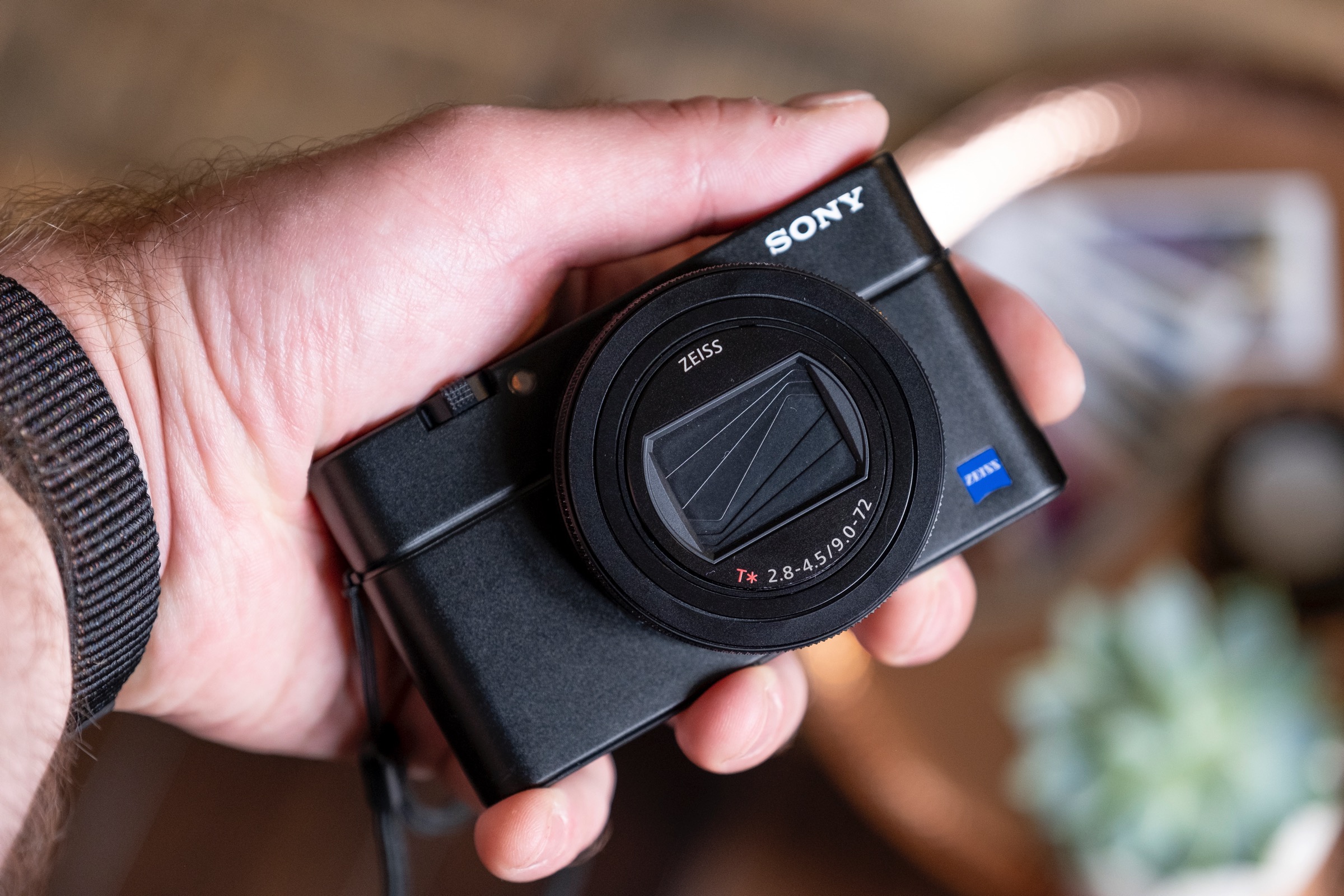
Sony’s latest advanced compact camera is the highly pocketable RX100 VII, the seventh iteration of the RX100. Since its debut, this line of cameras has proven a very popular option among enthusiasts looking for a great travel camera, vloggers, and even pros who want a compact backup option just in case. The RX100 VII should suit all those needs very well, provided you’re okay with coughing up the $1,200 asking price.
Not that $1,200 is too expensive for what you’re getting, since Sony has packed tremendous value in the Mark VII, including an extremely versatile 24-200mm (35mm equivalent) zoom range, 20fps continuous burst mode shooting, a flip-up touch screen, built-in images stabilization and the same powerful autofocus technologies you’ll find on its flagship full-frame interchangeable lens pro cameras.
Pocket power
The Sony RX100 VII satisfies a specific need, but it’s one that a lot of people probably have: Striking a balance between image quality, range and portability. One the convenience end of the spectrum, the ultimate device is probably your smartphone, since you have that with you always. On the IQ and range side, you’re looking at a top-end DSLR with a high-quality, low aperture zoom lens that can weigh more than a large dog. The RX100 VII manages to be so impressive because it can delivery near the portability of a smartphone, with some of the photography chops of a setup that typically requires its own suitcase.
Inside the RX100 VII you’ll find a 1-inch sensor, which is very big relative to smartphone imaging sensors. This is important because it means there’s no contest between which will capture a better image, with lower noise, greater depth-of-field and better color rendering. For all the software magic that companies like Apple and Google can bring to the photography table, nothing yet can totally compensate for simply having a larger sensor.
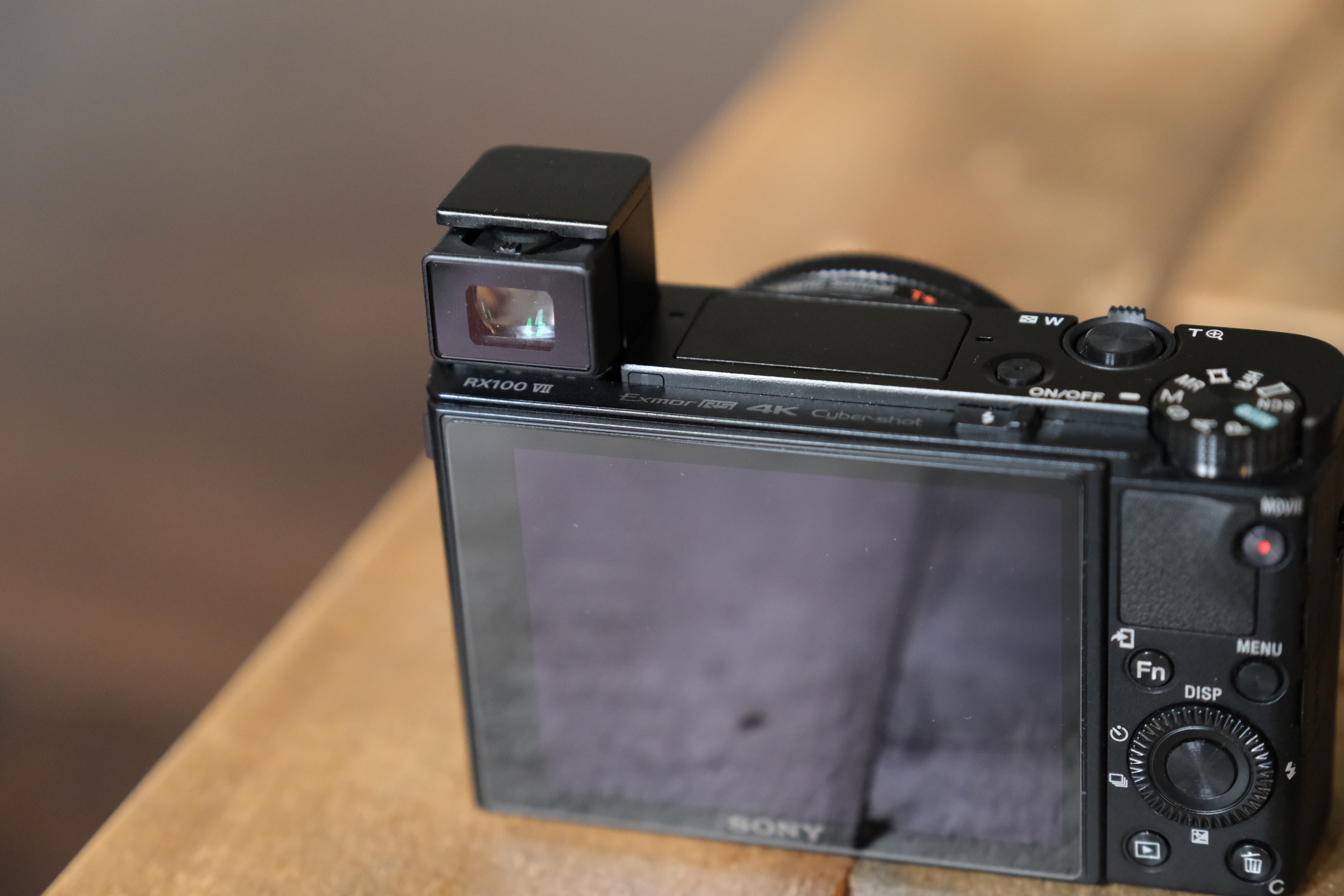
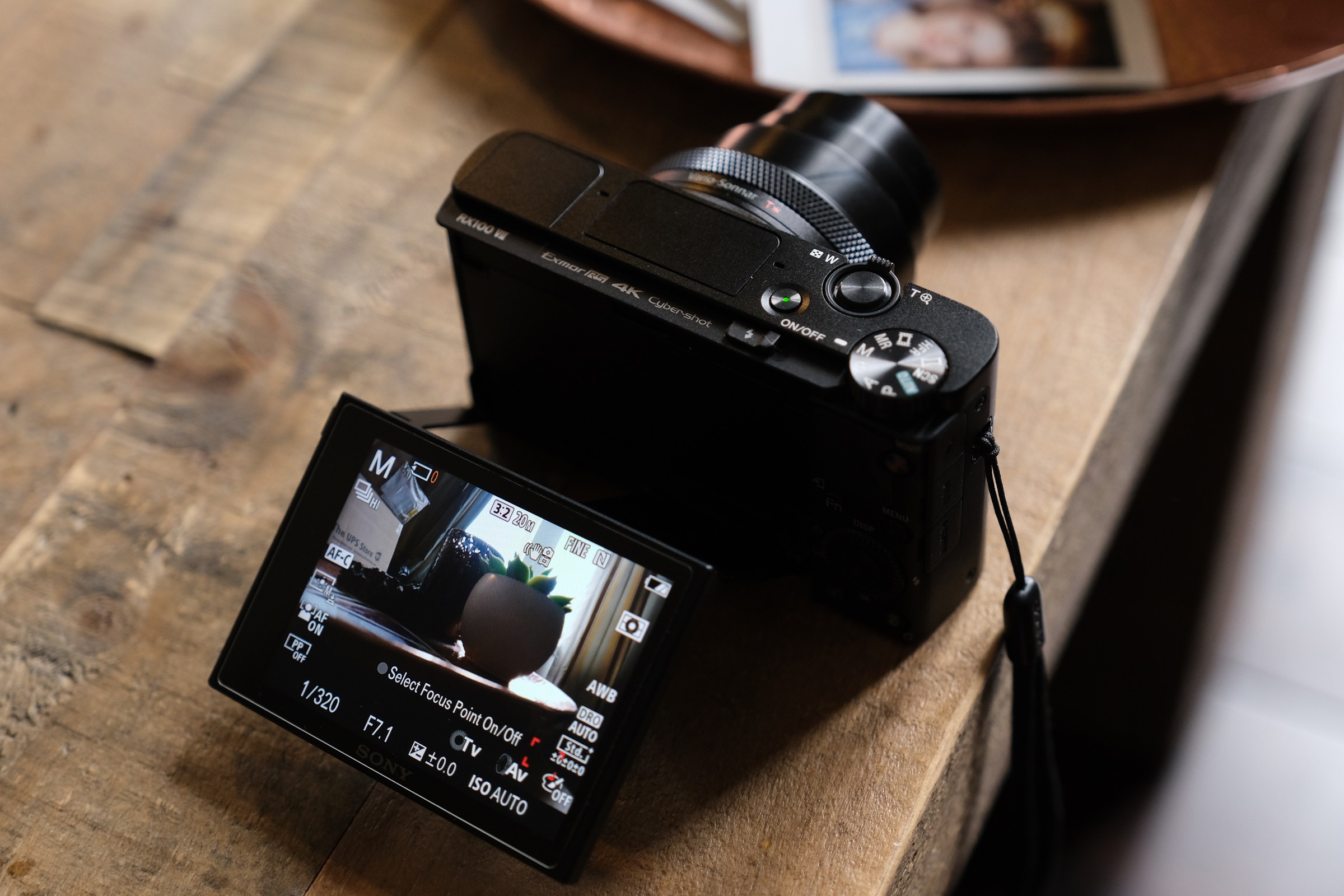
The RX100 VII’s compactness isn’t just impressive because of the large sensor it packs inside, however; you also get an EVF, an integrated flash, an external microphone jack and an articulating LCD display. To get all of this into a package this small is astounding – the EVF in particular is a great feature for anyone who wants to be a bit more direct and particular with their shot composition, while the flip-up LCD means you can also have a great selfie screen and monitor for use when vlogging.
Last but not least in terms of its portability benefits, you can charge the RX100 VII via USB directly so that you can leave any additional charging hardware at home. The camera has a micro USB port for both data and power, and while it would’ve been nice to see this upgraded to USB-C on this camera to keep up with the latest in terms of computer and smartphone charging, it’s still better than requiring an external charger.
Zoom zoom
Sony decided on a very long zoom range for the RX100 VII, which sports a 24-200mm (35mm equivalent) f/2.8-4.5 powered retracting zoom lens. That’s the same range and aperture as the RX100 VI, which opts for more range over the brighter 24-70mm f/1.8-2.8 lens found on the V and earlier.
While you’ll lose some ability to separate your subject from the background vs. a brighter lens, you get a lot more reach for shooting action or wildlife. The added range definitely makes it a better all-around travel camera, too, and makes it possible to get some shots you otherwise just wouldn’t be able to get at all with a shorter lens.
The long end of the zoom range also offers stunningly sharp images, especially in bright, daylight conditions. In the examples below, you can see some of the 200mm samples shot on the RX100 VII next to the 24mm wide versions of the same scenes to get a sense of just how close you can get with this lens, and the quality of the images possible even at those extreme zoom lengths.
At the wide end, you have plenty of real estate to capture great sweeping architectural or landscape shots, and the sharpness is also fantastic in great light. There’s some distortion, but it’s mostly corrected by Sony’s software on JPG output. That 24mm wide angle is also the right width for arm-length selfies, though you’re probably going to want at least a short selfie stick for vlogging applications to give yourself a little more in the way of framing options.
Sticky AF
Leaving aside the fact that this is one of the better sensors available on the market for a camera this size, there’s another very compelling reason to pick up this camera, and one that likely gives it the edge over competitors from other companies. I’m talking about Sony’s autofocus system, and the RX100 VII gets the latest and greatest that Sony has developed, which is found only in much more expensive cameras from the company like the A9 and the new A7R IV.
You get face and eye tracking, for both human and animal subjects, and these are both best-in-class when compared with other camera makers’ systems. The animal one in particular is a Sony speciality, and worked amazingly well on my real dog – and on Sony’s Aibo robot dog, captured at the Sony Ginza experience center in Tokyo.
[gallery ids="1881912,1881911"]
The face and eye detection settings are available in both still shooting and movies, and you can set eye preference (left or right), too. The newest AF feature, however, is object tracking, which allows you to point your AF point at a specific object and have the camera automatically track that object as you zoom or move, or as the object moves within frame. You can choose from a range of options regarding how large of a focal area to track, and this works in tandem with human face detection so that the camera will automatically focus on the subject’s face when it’s visible, and on them more generally when it’s not, which is amazing for sports or action photography.
In practice, this works extremely well. Sony’s claims about how well this sticks, and how good it is at picking a subject back up after it moves behind an object, for instance, are spot on. This is really the best AF system available on a camera in the pocketable category, at any price point, and it’s truly amazing to experience. In the shots below, you can see how it allowed me to capture a very clear picture of a soaring hawk at the 200mm tele zoom, how it tracked a bike in motion and got a clear image of the rider’s face, and how it froze a motor bike in motion during a burst series (all the shots were in focus, by the way).
Another area where Sony’s RX100 VII and its 1-inch sensor are going to have a leg up on your smartphone is in sub-optimal lighting conditions. Bigger sensors mean bigger pixels and less noise, with better blacks and shadows. Sony is also using a backside illuminated stacked sensor, and there’s built-in optical image stabilization which means you can take sharper photos at lower shutter speeds, letting in more light for clearer images.
In practice, what you get are pretty good low light photos, especially outdoors with ambient light present, or in decently well-lit indoor settings. In poorer lighting conditions or when you’re trying to freeze action in low light, you’re going to get fairly noisy results, especially when compared to an APS-C or full-frame camera. Sony’s tech can do a lot to make the most of less than ideal photographic conditions, but at some point, it runs up against the limits of what’s possible.
Sony also doesn’t get quite as aggressive with computational photographic techniques for digitally compensating for lower available light, as do the Pixel phones and the latest iPhone 11. That’s not necessarily a bad thing, though – the images from the RX100 VII present more accurate night and indoor photos, by comparison, and you can still get much better indoor images with the RX100 VII than you can with any smartphone.
As you can see in the gallery above, the camera does extremely well as long as there’s one well-lit subject or element in frame. It’s less effective when the image overall is uniformly dim, but if you’re looking for great photos in those conditions, you should probably consider upgrading to a larger camera with a larger sensor anyways.
Movie maker
The RX100 VII’s greatest strength might just be how good it is at shooting video for a device this size. Video out of the camera with very minimal adjustment from the default shooting settings produces highly usable results, for both home video enthusiasts and for YouTubers or vloggers looking to produce great looking content without lugging an entire film production studio along with them on their travels.
Once again, the versatile zoom range really shines here, and the you can even shoot at the tele end of the zoom handheld and get totally usable footage provided you’re a bit careful about movement, as you can see in the third clip in the sequence below, which was shot at the 200mm range. Low-light footage looks great, as is evident from the second clip in sequence, and at the wide end you can capture sweeping landscape vistas or flip up the screen and turn the camera around for selfie-style video.
The added microphone port makes it an even more powerful filmmaking tool, and if you pick up their optional VCT-SGR1 shooting grip, combined with a small shotgun mic or something like the Rode Wireless Go, you’ve got everything you need to create very compelling travel diaries in an incredibly lightweight package that will be able to produce quality and get zoom and wide shots that are impossible on a smartphone.
Bottom line
The RX100 VII is a delight of a camera and an easy recommendation to make. There’s nothing that compares in this size category in terms of the range of features, autofocus capabilities, video prowess and performance as a general all-rounder. This is the do-everything travel camera that you could really only dream of five years ago, and it’s become more ideal for this use with every generation that Sony introduces.
Whether you’re looking to step up your photographic possibilities from your smartphone, or you want to supplement your professional or advanced enthusiast equipment with a pocket camera that’s available as a b-camera for video or to grab a few choice stills, the RX100 VII is hard to top. It’s only downside is that $1,200 asking price, which is definitely above average for a compact camera – but on a value basis, $1,200 isn’t at all expensive for everything this camera has to offer.
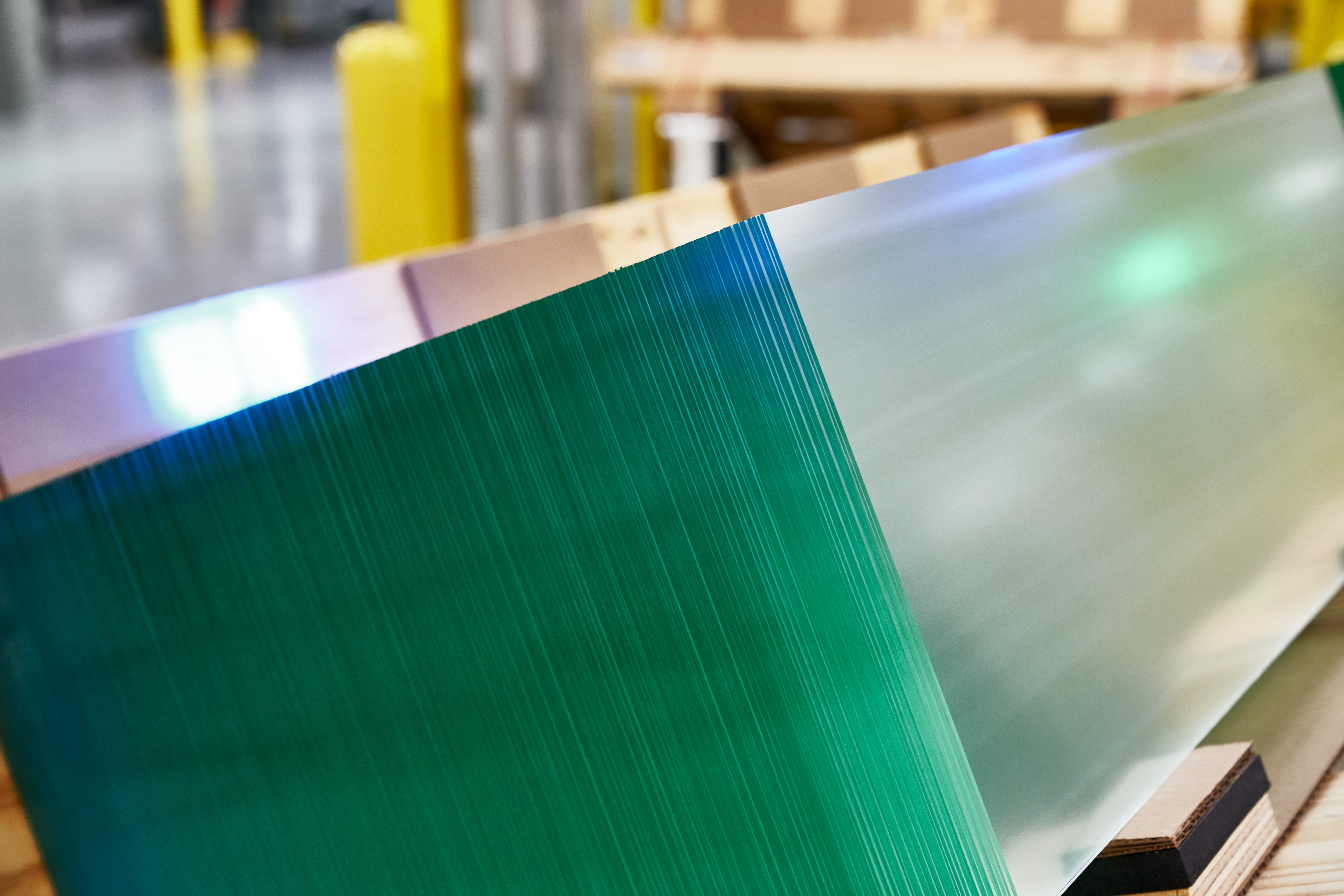
As part of Apple’s Advanced Manufacturing Fund, Apple is investing $250 million in Corning, a supplier that has been working on glass for the iPhone, Apple Watch and iPad. Apple had previously invested $200 million in May 2017.
The company says that the new investment will support research and development for precision glass processes. While Corning has supplied glass to Apple for every generation of iPhone and iPad, Apple says that glass in the iPhone 11 and 11 Pro is even tougher than before. Apple also uses glass for the back of the device in order to enable wireless charging.
As Apple mentioned before, the company has spent $60 billion with 9,000 American suppliers in 2018. It represents 450,000 jobs.
Today’s investment is part of a commitment to spend billions of dollars in U.S.-based companies with its Advanced Manufacturing Fund in order to build new facilities and help manufacturers. Apple originally planned to invest $1 billion, but it has deployed the entire initial fund.
Apple has now spent $1 billion out of its $5 billion subsequent fund. For instance, Apple has invested $390 million in Finsar, the maker of the TrueDepth camera and $10 million in Elysis, an aluminum maker.
The newest version of Snap’s Spectacles already has a 3D feature that lets you see the world with immersive filter effects, and now the company’s flagship app Snapchat is levelling up. Today the company announced a new 3D Camera Mode that will let users make and share images with diorama-like depth effects that move when you tilt your phone.
The 3D Camera Mode is available as of today for those using the iPhone X and above with an update of the Snapchat app, where the feature can be accessed via the camera mode, using the drop-down menu on the right. The pictures can also be viewed (but not created) on older and other phone models (including Android) as well.
Alongside the 3D Camera Mode, those creating pictures will also, naturally, be supplied with a new library of 3D effects, lenses and filters; and after you are finished making the images, you can also save them to your camera roll to use elsewhere as well.
The move into 3D is the latest salvo for Snapchat in what has been a long-term feature battle with Facebook, and specifically Instagram . We have long documented the history of how Snapchat has led the charge with new concepts in photo art on its app — from the very basic aspect of ephemeral images, through to the emergence of lenses and filters, and stories to build narratives of Snaps and videos — only to see Instagram (and to a lesser extent, Facebook itself) follow suit with the similar features.
The feature-copy situation is particularly a tough one for Snapchat, which still trails Instagram in overall users and once saw its growth slow massively after its rival implemented Stories. Snapchat most recently reported 203 million daily active users, while Instagram currently says its DAUs are over 500 million.
Lenses and photo effects overall still have a long way to go, though — not least because currently some 70% the company’s daily users turn to lenses to spice up their pictures, pointing to a very sticky feature that helps keep them on Snapchat overall. So Snapchat’s push to keep innovating (even if it gets copied) is commendable.
And in the moving target that is consumer taste, that model is likely to also get changed up with more recent competitive developments: specifically it will be worth watching how and if the rise of the popular music-based TikTok app will impact what features we see on these two older rivals.
Despite all that, ironically, with 3D, Facebook was actually ahead of the game, launching AI-based 3D images back in October 2018. Up to now, it’s never extended that feature to Instagram. However, with Snapchat getting in on the action, I wouldn’t be surprised to see 3D show up on Insta, too.
To be clear, the 3D feature’s reliance on models of the iPhone X and newer cuts more legacy models of the iPhone out as a matter of necessity, since they are made using image and depth data that can be collected on the iPhone X’s front-facing lens.
On the other hand, you mind find it a strange oversight that the same feature is not showing up on its Android app — not least given that there are a fair number of high-end Android devices that can capture the same types of depth and other image data as the higher models of the iPhone.
Snapchat has had a history with Android. While it is a popular platform for mobile apps overall, at one point Snap had to redesign its Snapchat Android app because it was so slow and buggy, leading to plummeting users. Eventually it clawed some of that back, but it seems that for now, enough of its biggest users are on iOS that Snap continues to prioritise it when it comes to new features. It will be worth watching to see how long it takes Snap to extend this feature to Android. (We are asking.)
Cloudian, a company that enables businesses to store and manage massive amounts of data, announced today the launch of Edgematrix, a new unit focused on edge analytics for large data sets. Edgematrix, a majority-owned subsidiary of Cloudian, will first be available in Japan, where both companies are based. It has raised a $9 million Series A from strategic investors NTT Docomo, Shimizu Corporation and Japan Post Capital, as well as Cloudian co-founder and CEO Michael Tso and board director Jonathan Epstein. The funding will be used on product development, deployment and sales and marketing.
Cloudian itself has raised a total of $174 million, including a $94 million Series E round announced last year. Its products include the Hyperstore platform, which allows businesses to store hundreds of petrabytes of data on premise, and software for data analytics and machine learning. Edgematrix uses Hyperstore for storing large-scale data sets and its own AI software and hardware for data processing at the “edge” of networks, closer to where data is collected from IoT devices like sensors.
The company’s solutions were created for situations where real-time analytics is necessary. For example, it can be used to detect the make, model and year of cars on highways so targeted billboard ads can be displayed to their drivers.
Tso told TechCrunch in an email that Edgematrix was launched after Cloudian co-founder and president Hiroshi Ohta and a team spent two years working on technology to help Cloudian customers process and analyze their data more efficiently.
“With more and more data being created at the edge, including IoT data, there’s a growing need for being able to apply real-time data analysis and decision-making at or near the edge, minimizing the transmission costs and latencies involved in moving the data elsewhere,” said Tso. “Based on the initial success of a small Cloudian team developing AI software solutions and attracting a number of top-tier customers, we decided that the best way to build on this success was establishing a subsidiary with strategic investors.”
Edgematrix is launching in Japan first because spending on AI systems there is expected to grow faster than in any other market, at a compound annual growth rate of 45.3% from 2018 to 2023, according to IDC.
“Japan has been ahead of the curve as an early adopter of AI technology, with both the governmetn and private sector viewing it as essential to boosting productivity,” said Tso. “Edgematrix will focus on the Japanese market for at least the next year, and assuming that all goes well, it would then expand to North America and Europe.”
Fintech startup FairMoney is building a challenger bank in Nigeria. The company first started offering microcredit and now plans to expand to current accounts and savings. FairMoney just raised an $11 million Series A round (€10 million) led by Flourish, DST Global partners and existing partners Newfund, Speedinvest and Le Studio VC.
FairMoney lets you get a loan from its mobile app. After answering a few questions and sharing financial information, the startup analyzes this data set as well as your geolocation, other apps installed on your phone and other factors to give you an answer in a few minutes.
On average, people borrow the equivalent of $33. Eventually, if you always repay on time, you are able to borrow as much as $415. Interests vary depending on repayment periods and other factors, but the maximum annual percentage rate is 13%.
When you apply for a loan, FairMoney then uses traditional bank transfers to credit the money — bank transfers occur within a few minutes in Nigeria. You can then repay using cash with partner bank tellers, bank transfers or SMS.
FairMoney has a lending license in Nigeria to operate. The company will partner with microfinance institution to launch current accounts, savings and facilitate payments. Eventually, FairMoney hopes that it’ll get its own microfinance license from the central bank.
Like many challenger banks, FairMoney wants to become your financial hub for all your banking needs — one app to rule them all. That’s why the ability to hold money in your FairMoney wallet will be key. For users without smartphones, the startup is also working on an SMS interface to transfer money.
Let’s get this out of the way right up front: iPhone 11’s Night Mode is great. It works, it compares extremely well to other low-light cameras and the exposure and color rendition is best in class, period.
If that does it for you, you can stop right here. If you want to know more about the iPhone 11, augmented photography and how they performed on a trip to the edge of a galaxy far, far away, read on.
As you’re probably now gathering, yes, I took the new iPhones to Disneyland again. If you’ve read my otherreviews from the parks,you’ll know that I do this because they’re they ideal real-world test bed for a variety of capabilities. Lots of people vacation with iPhones.
The parks are hot and the network is crushed. Your phone has to act as your ticket, your food ordering tool, your camera and your map. Not to mention your communication device with friends and family. It’s a demanding environment, plain and simple. And, I feel, a better organic test of how these devices fare than sitting them on a desk in an office and running benchmark tools until they go dead.
I typically test iPhones by using one or two main devices and comparing them with the ones they’re replacing. I’m not all that interested in having the Android vs. iPhone debate because I feel that it’s a bit of a straw man given that platform lock-in means that fewer and fewer people over time are making a truly agnostic platform choice. They’re deciding based on heredity or services (or price). I know this riles the zealots in both camps, but most people just don’t have the luxury of being religious about these kinds of things.
Given the similarities in models, (more on that later) I mainly used the iPhone 11 Pro for my testing, with tests of the iPhone 11 where appropriate. I used the iPhone XS as a reference device. Despite my lack of a desire to do a platform comparison, for this year’s test, given that much discussion has been had about how Google pulled off a coup with the Pixel 3’s Night Sight mode, I brought along one of those as well.
I tried to use the iPhone XS only to compare when comparisons were helpful and to otherwise push the iPhone 11 Pro to handle the full load each day. But, before I could hit the parks, I had to set up my new devices.
Setup
Much of the iPhone 11 Pro’s setup process has remained the same over the years, but Apple has added one new feature worth mentioning: Direct Transfer. This option during setup sits, philosophically, between restoring from a backup made on a local Mac and restoring from an iCloud backup.
Direct Transfer is designed to help users transfer their information directly from one device to another using a direct peer-to-peer connection between the two devices. Specifically, it uses Apple Wireless Direct Link (AWDL), which also powers AirDrop and AirPlay. The transfer is initiated using a particle cloud link similar to the one you see setting up Apple Watch. Once it’s initiated, your old iPhone and new iPhone will be out of commission for up to 2-3 hours depending on how much information you’re transferring.
The data is encrypted in transit. Information directly transferred includes Messages history, full resolution photos that are already stored on your phone and any app data attached to installed apps. The apps themselves are not transferred because Apple’s app signing procedure locks apps to a device, so they must be (automatically) re-dowloaded from the App Store, a process that begins once the Direct Transfer is complete. This also ensures that you’re getting the appropriate version of the app.
Once you’ve done the transfer, the data on your phone is then “rationalized” with iCloud. This helps in cases where you have multiple devices and one of those other devices could have been making changes in the cloud that now need to be updated on the device.
Apple noted that Direct Transfer is good for a few kinds of people:
People without an iCloud backup
People who have not backed up in a while
People in countries where internet speeds are not broadly strong, like China
People who don’t mind waiting longer initially for a ‘more complete’ restore
Basically what you’ve got here is a choice between having your iPhone ‘ready’ immediately for basic functionality (iCloud backup restore) and waiting a bit longer to have far more of your personal data accessible from the start, without waiting for iCloud downloads of original photos, Messages history etc.
Direct Transfer also does not transfer Face ID or Touch ID settings, Apple Pay information or Mail Data aside from usernames and passwords.
After iPhone Migration is complete the Messages content from the device will be reconciled the Messages content in iCloud to ensure they are in sync. The same is true for Photos stored in iCloud.
Anecdotally, I experienced a couple of interesting things during my use of Direct Transfer. My first phone took around 2.5 hours to complete, but I still found that the messages archive alerted me that it needed to continue downloading archived messages in the background. Apple suggested that this may be due to this rationalizing process.
I also noticed that when simultaneous Direct Transfer operations were active, side-by-side devices took much longer to complete. This is very likely due to local radio interference. Apple has a solution to that. There is a wired version of the Direct Transfer option using the Camera Connection Kit with a source device and connecting them via USB. Ideally, Apple says, the transfer speeds are identical, but of course the wired option side-steps the wireless interference problem entirely — which is why Apple will be using it for in-store device restores for new iPhones using the Direct Transfer option.
My experience with Direct Transfer wasn’t glitch free, but it was nice having what felt like a ‘more complete’ device from the get go. Of note, Direct Transfer does not appear to transfer all keychain data intact, so you will have to re-enter some passwords.
Design and Display
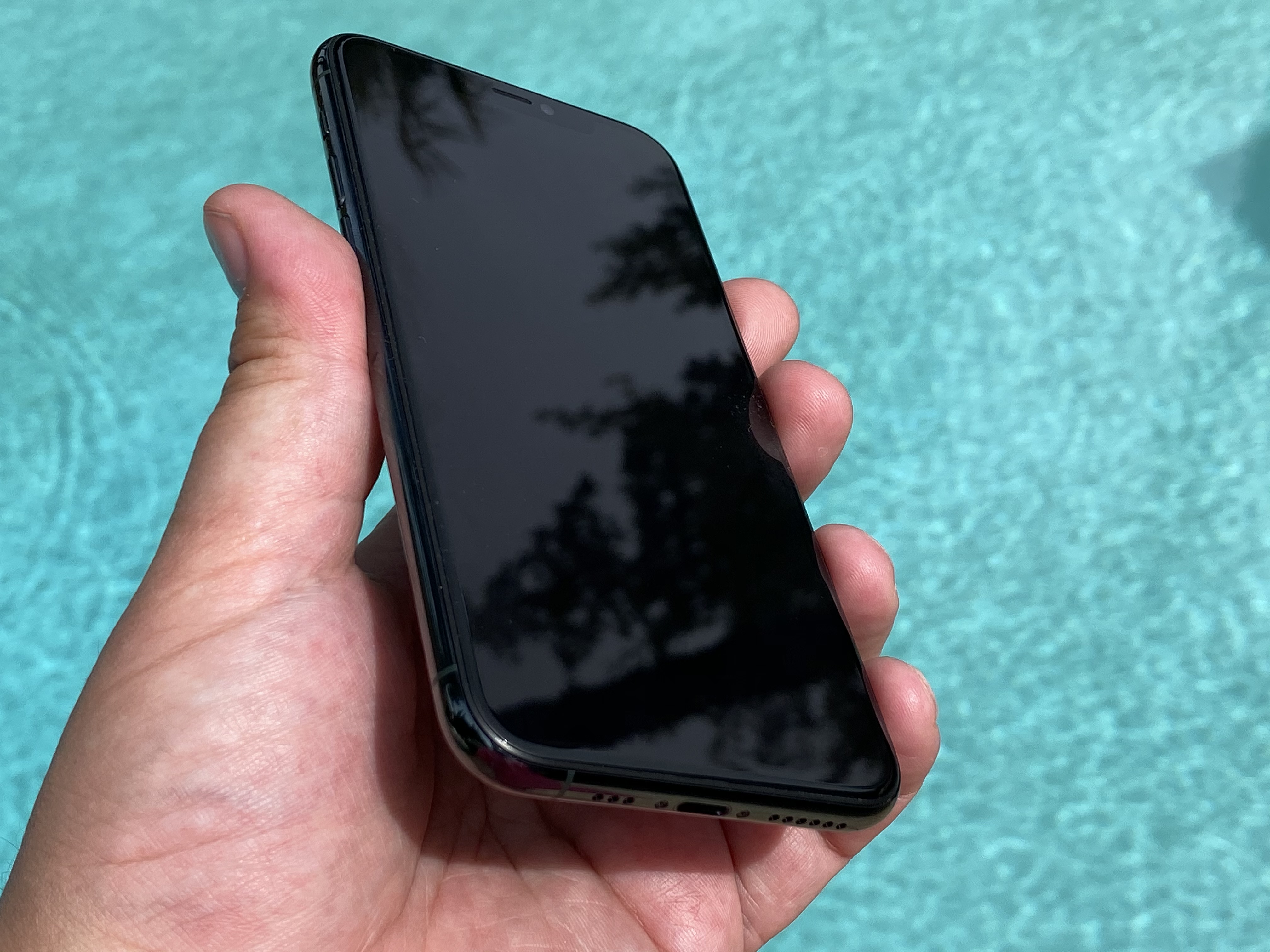
I’ve been naked for years. That is, team no case. Cases are annoying to me because of the added bulk. They’re also usually too slippery or too sticky. I often wear technical clothing too and the phones go into slots designed for quick in out or fun party trick things like dropping into your hand with the pull of a clasp. This becomes impossible with most cases.
Apple provided the clear cases for all three iPhones, and I used them to keep them looking decent while I reviewed them, but I guarantee you my personal will never see a case.
I’m happy to report that the iPhone 11 Pro’s matte finish back increases the grippyness of the phone on its own. The smooth back of the iPhone 11 and the iPhone XS always required a bit of finger oil to get into a condition where you could reliably pivot them with one hand going in and out of a pocket.
Traveling through the parks you get sweaty (in the summer), greasy with that Plaza fried chicken and turkey legs and all kinds of kid-related spills. Having the confidence of a case while you’re in these fraught conditions is something I can totally understand. But day-to-day it’s not my favorite.
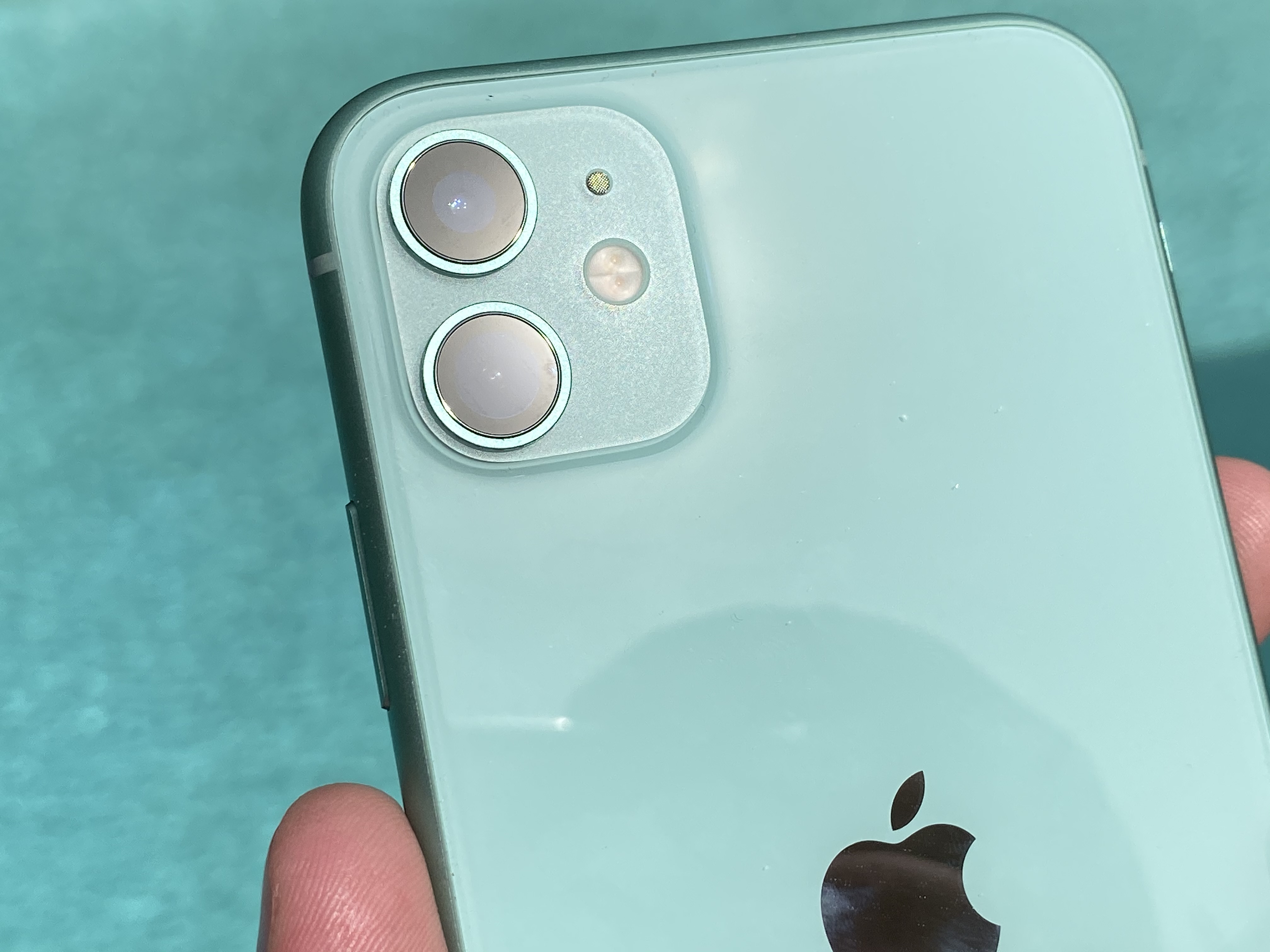
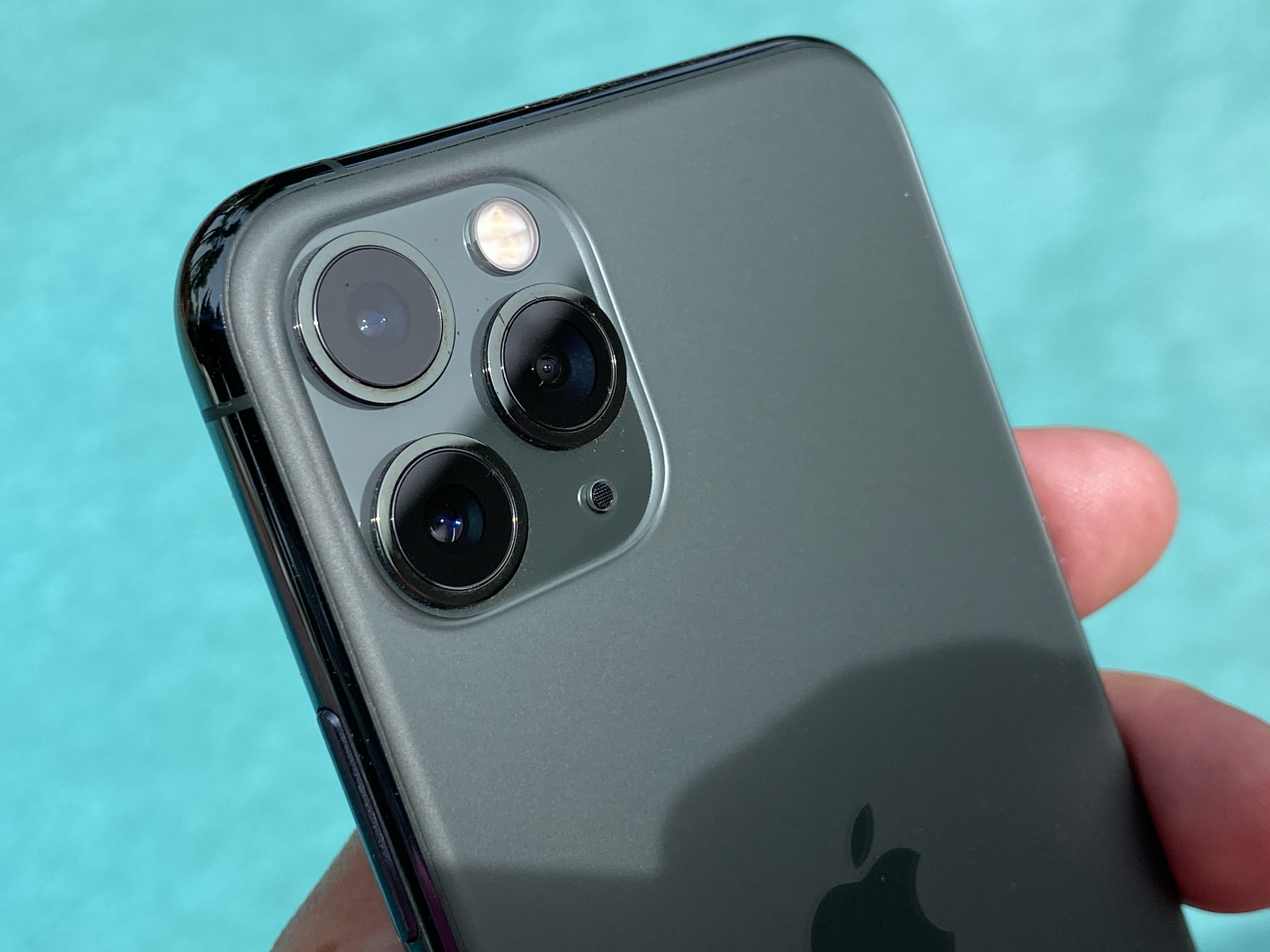
I do like the unified design identity across the line of making the bump surface blasted glass on the iPhone 11 with a glossy back and then flipping those on the iPhone 11 Pro. It provides a design language link even though the color schemes are different.
At this point either you’ve bought into the camera bump being functional cool or you hate its guts. Adding another camera is not going to do much to change the opinion of either camp. The iPhone 11 Pro and Pro Max have a distinctly Splinter Cell vibe about them now. I’m sure you’ve seen the jokes about iPhones getting more and more cameras, well, yeah, that’s not a joke.
I think that Apple’s implementation feels about the best it could be here. The iPhone 11 Pro is already thicker than the previous generation, but there’s no way it’s going to get thick enough to swallow a bump this high. I know you might think you want that too, but you don’t.
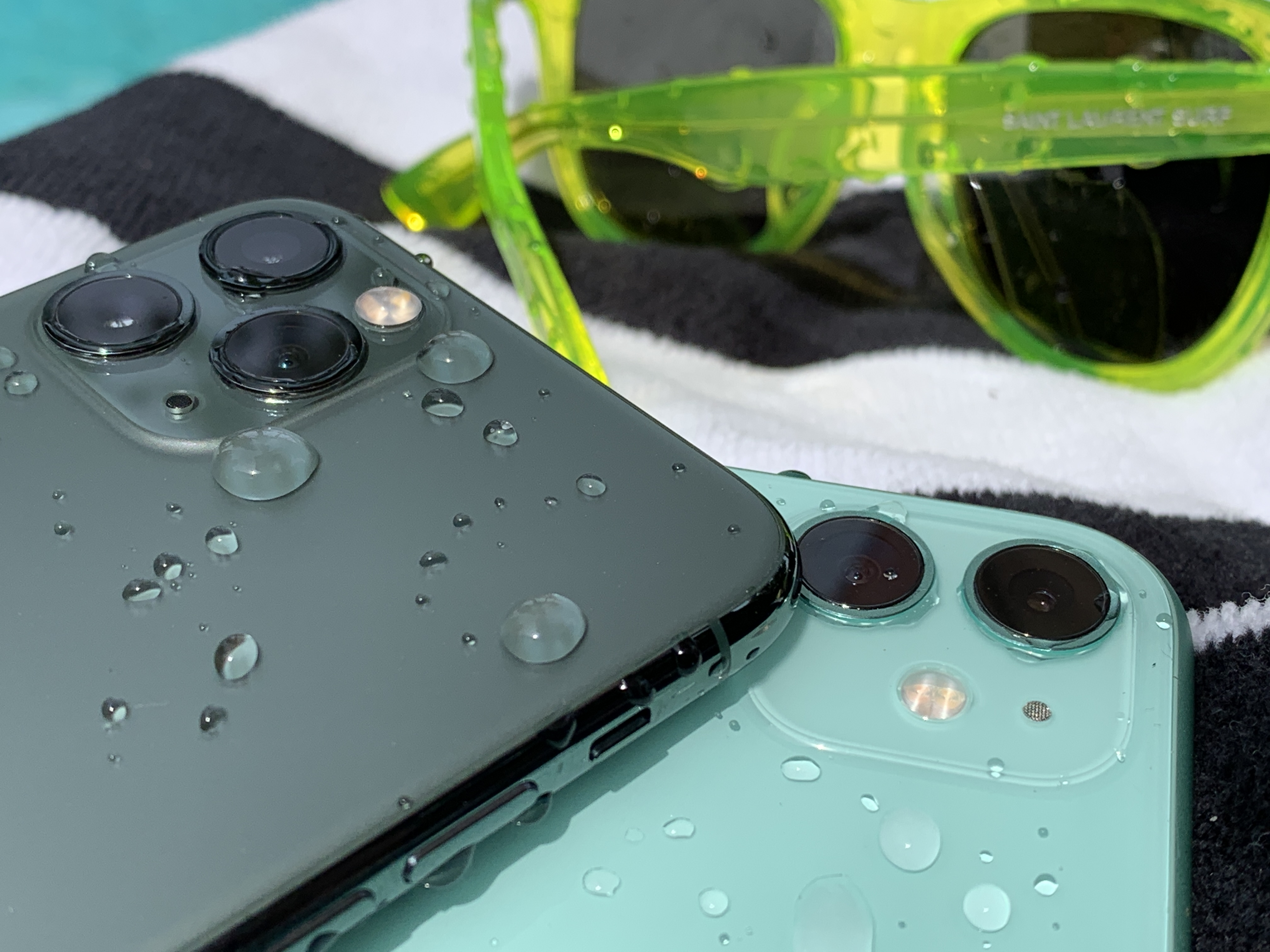
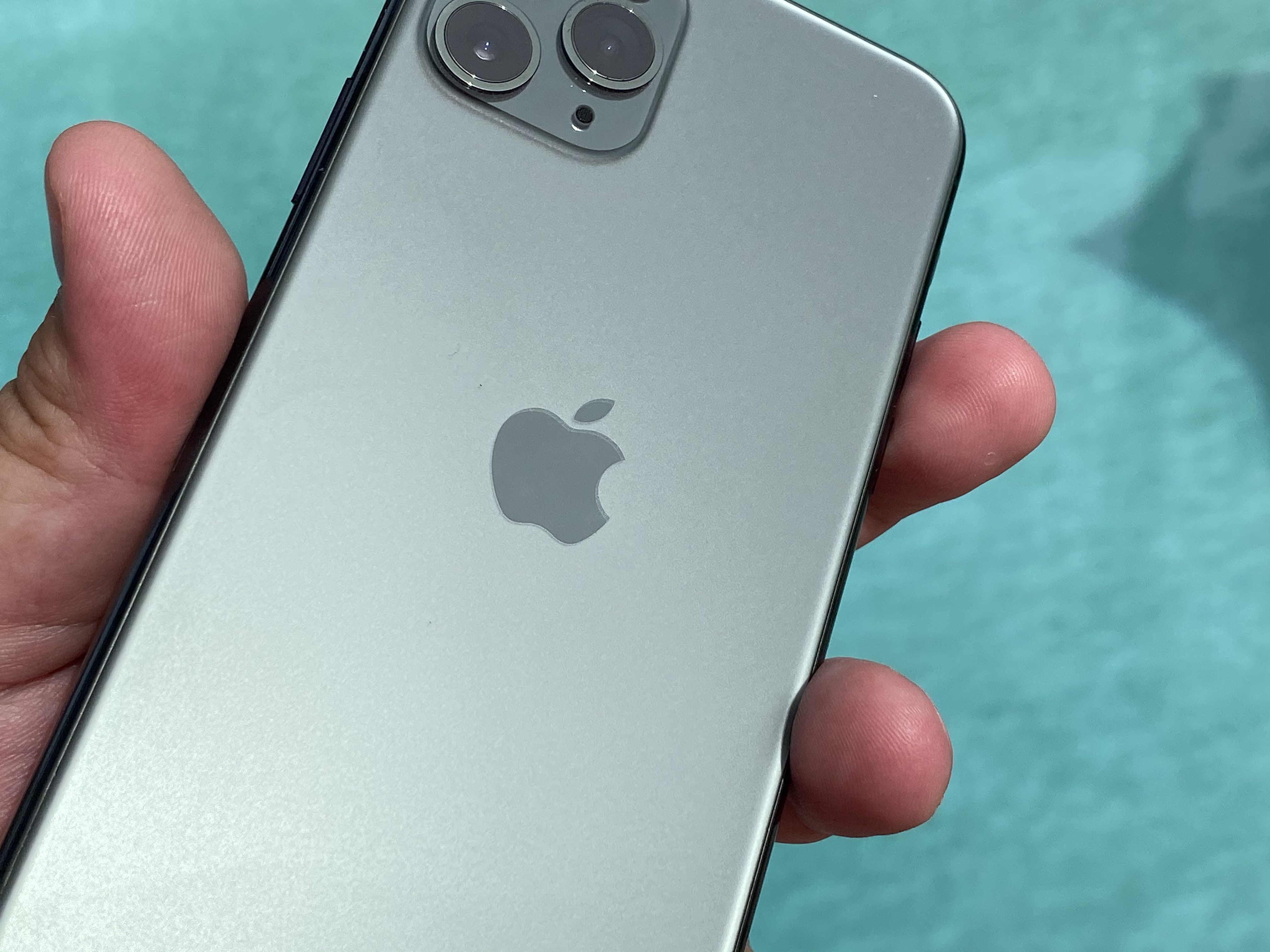
Apple gave most reviewers the Deep Green iPhone 11 Pro/Max and the minty Green iPhone 11. If I’m being honest, I prefer the mint. Lighter and brighter is just my style. In a perfect world, I’d be able to rock a lavender iPhone 11 Pro. Alas, this is not the way Apple went.
The story behind the Deep Green, as it was explained to me, begins with Apple’s colorists calling this as a color set to break out over the next year. The fashion industry concurs, to a degree. Mint, seafoam and ‘neon’ greens which were hot early in the year have given way to sage, crocodile and moss. Apple’s Deep Green is also a dark, muted color that Apple says is ideal to give off that Pro vibe.
The green looks nearly nothing like any of the photographs I’ve seen of it on Apple’s site.
Inperson, the Deep Green is reads as dark grey in anything but the most direct indoor light. Outdoors, the treated stainless band has an “80’s Mall Green” hue that I actually really like. The back also opens up quite a bit, presenting as far more forest green than it does inside. Overall, though, this is a very muted color that is pretty buttoned up. It sits comfortably alongside neutral-to-staid colors like the Space Gray, Silver and Gold.
The Silver option is likely to be my personal pick this time around just because the frosted white back looks so hot. The first time I won’t have gone gray or black in a while.
Apple’s new super retina display has a 2M:1 contrast ratio and displays up to 1200 nits in HDR content and 800 in non-HDR. What does this mean out in the sun at the park? Not a whole lot, but the screen is slightly easier to read and see detail on while in sunny conditions. The “extended” portion of Apple’s new XDR screen terminology on the iPhone 11 Pro is due to lux, a luminance metric, not a color metric, so the color gamut remains the same. However, I have noticed that HDR images look slightly flatter on the iPhone XS than they do on the iPhone 11 Pro. The iPhone 11’s screen, while decent, does not compare to the rich blacks and great contrast range of the iPhone 11 Pro. It’s one of two major reasons to upgrade.
Apple’s proprietary 3D touch system has gone the way of the dodo with the iPhone 11. The reasoning behind this was that they realized that they would never be able to ship the system economically or viably on the iPad models. So they canned it in favor of haptic touch, bringing more consistency across the lineup.
By and large it works fine. It’s a little odd for 3D touch users at first. You retain peek and quick actions but lose pop, for instance, because there’s no additional level of pressure threshold. Most of the actions that you probably commonly use 3D touch for, like the camera or flashlight or home screen app shortcuts work just fine.
I was bullish on 3D touch because I felt there was an opportunity to add an additional layer of context for power users — a hover layer for touch. Unfortunately I believe that there were people at Apple (and outside of it) that were never convinced that the feature was going to be discoverable or useful enough so it never got the investment that it needed to succeed. Or, and I will concede this is a strong possibility, they were right and I was wrong and this just was never going to work.
Performance and Battery
Apple’s A13 Bionic features efficiency cores that are 20% faster and use 40% less power than the A12 bionic — part of where some impressive battery life improvements come from. Its overall clock speed and benchmarks are up around 20% overall. The performance cores also use 30% less power and the GPU uses 40% less power. The Neural Engine doesn’t escape either and uses 15% lower power. All compared to the iPhone XS.
My focus there on the cores power usage is not to say this feels any less juicy, but all new iPhones feel great out of the box because Apple (usually) works to neatly match power requirements with its hardware. And any previous generation software is going to have plenty of overhead out of the box. No change here.
The biggest direct effect that this silicon work will have on most people’s lives will likely be battery life.
The iPhone 11 Pro has a larger battery than the iPhone XS, with a different higher voltage chemistry. That, coupled with power savings improvements mentioned above, along with more in the screen and other components means better battery life.
My battery tests over several days at the parks point to Apple’s claims about improvements over the iPhone XS being nearly dead on. Apple claims that the iPhone 11 Pro lasts 4 hours longer then the iPhone XS. The iPhone XS came in at roughly 9.5 hours in tests last year and the iPhone 11 Pro came in nearly bang on at 12 hours — in extremely challenging conditions.
It was hot, the networks were congested and I was testing every feature of the camera and phone I could get my hands on. Disneyland has some WiFi in areas of the park, but the coverage is not total, so I relied on LTE for the majority of my usage. This included on-device processing of photos and video (of which I shot around 40 minutes or so each day). It also included using Disney’s frustrating park app, about which I could write a lot of complaints.
I ordered food, browsed twitter while in lines, let the kids watch videos while the wife and I had a necessary glass of wine or six and messaged continuously with family and team members. The battery lasted significantly longer on the iPhone 11 Pro with intense usage than the iPhone XS, which juuuust edged out my iPhone X in last year’s tests.
One of the reasons that I clone my current device and run it that way instead of creating some sort of artificially empty test device is that I believe that is the way that most people will be experiencing the phone. Only weirdos like device testers and Marie Kondo acolytes are likely to completely wipe their devices and start fresh on purchase of a new iPhone.
I’m pretty confident you’ll see an improvement in the battery as well. I’ve done this a lot and these kinds of real world tests at theme parks tend to put more of the kind of strains you’ll see in daily life on the phone than a bench test running an artificial web browsing routine is. On the other hand, maybe you’re a worker at a bot farm and I’ve just touched a nerve. If so, I am sorry.
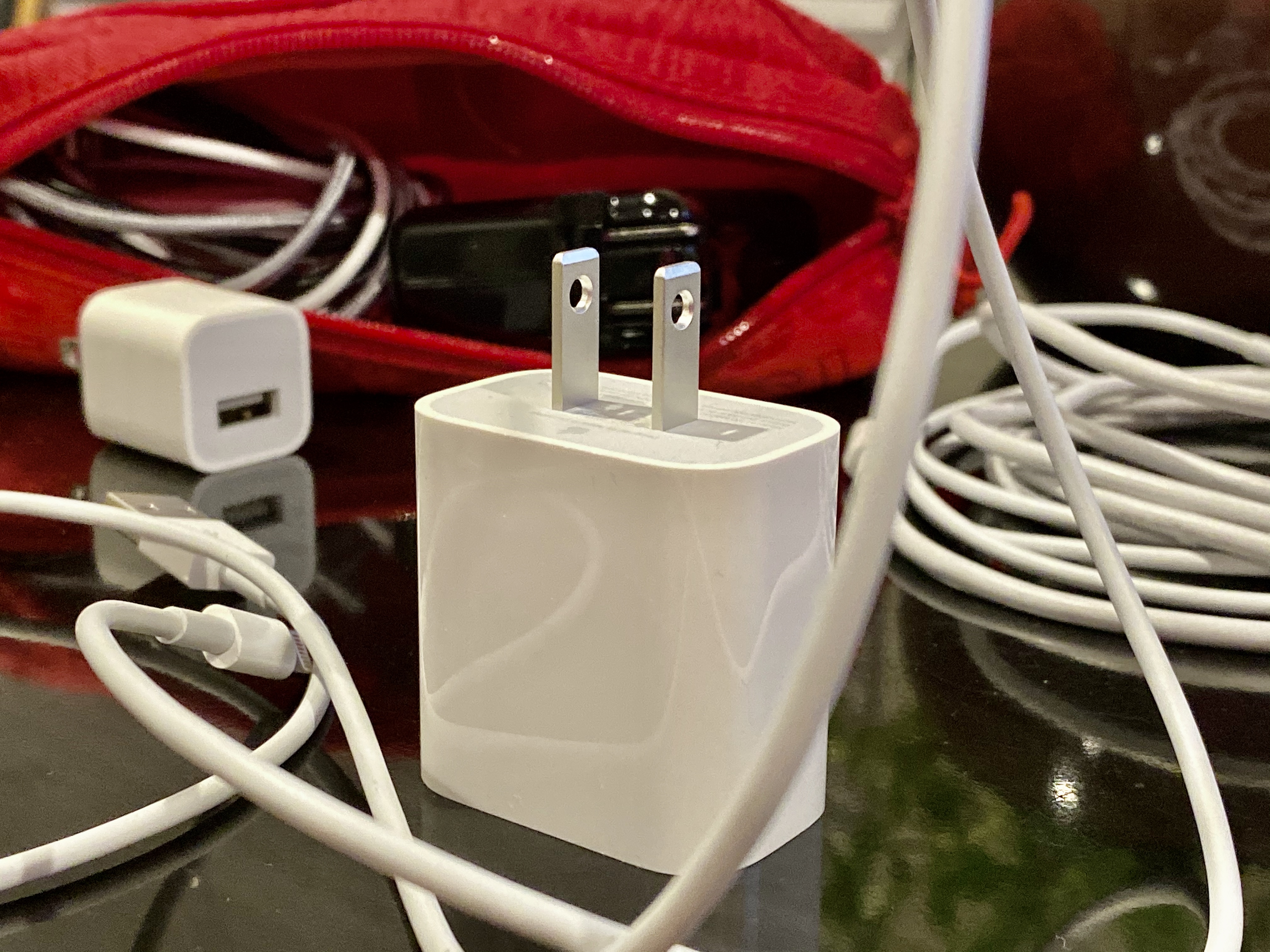
Also, an 18W power adapter, the same one that ships with iPad Pro, comes in the box. Finally, etc. It is very nice having the majority of my cables have at least one end that is USB-C now because I can use multi-port GaN chargers from Anker and power bricks that have USB-C. Apple’s USB-C lightning cables are slightly thicker gauge now, and support data transfer as well as the 18W brick. The bigger charger means faster charging, Apple claims up to 50% charge in 30 minutes with the new charger, which feels about like what I experienced.
It’s quicker, much nicer to top off while nursing a drink and a meatball at the relatively secret upstairs bar at the Wine Country Trattoria in DCA. There’s an outlet behind the counter just ask to use it.
Oh, about that improved FaceID angle — I saw, maybe, a sliiiiiiight improvement, if any. But not that much. A few degrees? Sometimes? Hard to say. I will be interested to see what other reviewers found. Maybe my face sucks.
Camera and Photography
Once upon a time you could relatively easily chart the path of a photograph’s creation. Light passed through the lens of your camera onto a medium like film or chemically treated paper. A development process was applied, a print was made and you had a photograph.
When the iPhone 8 was released I made a lot of noise about how it was the first of a new wave of augmented photography. That journey continues with the iPhone 11. The ISP that normally takes on the computational tasks associated with color correction and making images look presentable from the raw material the sensor produces. Apple has added the Neural Engines’s machine learning expertise to the pipeline and it’s doing a bunch of things in various modes.
Deep Fusion shoots 9 images, it pre shoots 4 long and 4 short exposure images into a buffer. Then when you press the shutter button it takes a longer exposure. Then the neural engine and ISP combine these on a pixel by pixel basis into your image.
This is what makes the camera augmented on the iPhone 11, and what delivers the most impressive gains of this generation, not new glass, not the new sensors — a processor specially made to perform machine learning tasks.
What we’re seeing in the iPhone 11 is a blended apparatus that happens to include 3 imaging sensors, 3 lenses, a scattering of motion sensors, an ISP, a machine learning tuned chip and a CPU all working in concert to produce 1 image. This is a machine learning camera. But as far as the software that runs iPhone is concerned, It has one camera. In fact, it’s not really a camera at all, it’s a collection of devices and bits of software that work together towards a singular goal: producing an image.
This way of thinking about imaging affects a bunch of features from night mode to HDR and beyond, and the result is the best camera I’ve ever used on a phone.
But first, let’s talk new lenses.
Ultra Wide
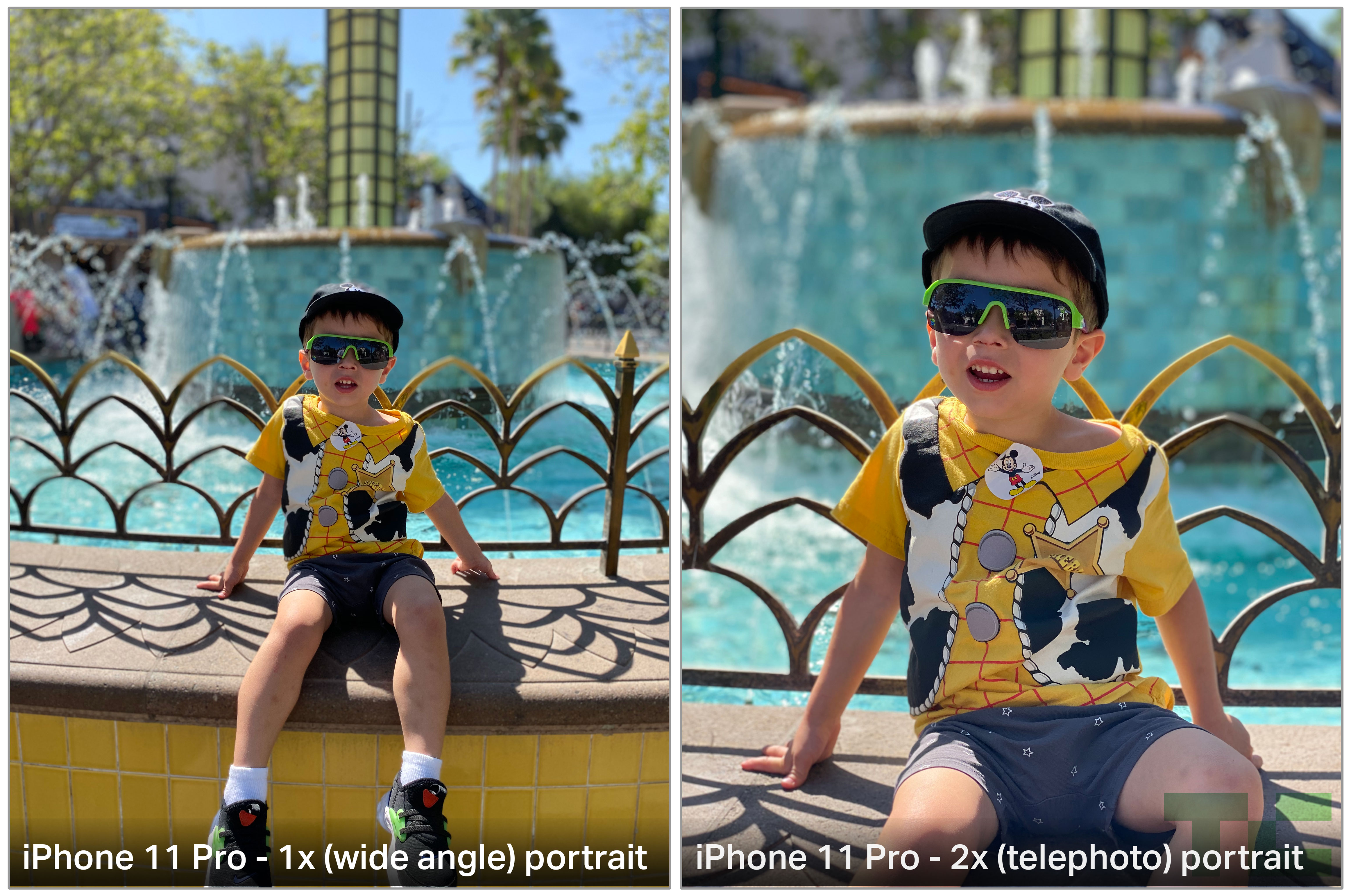
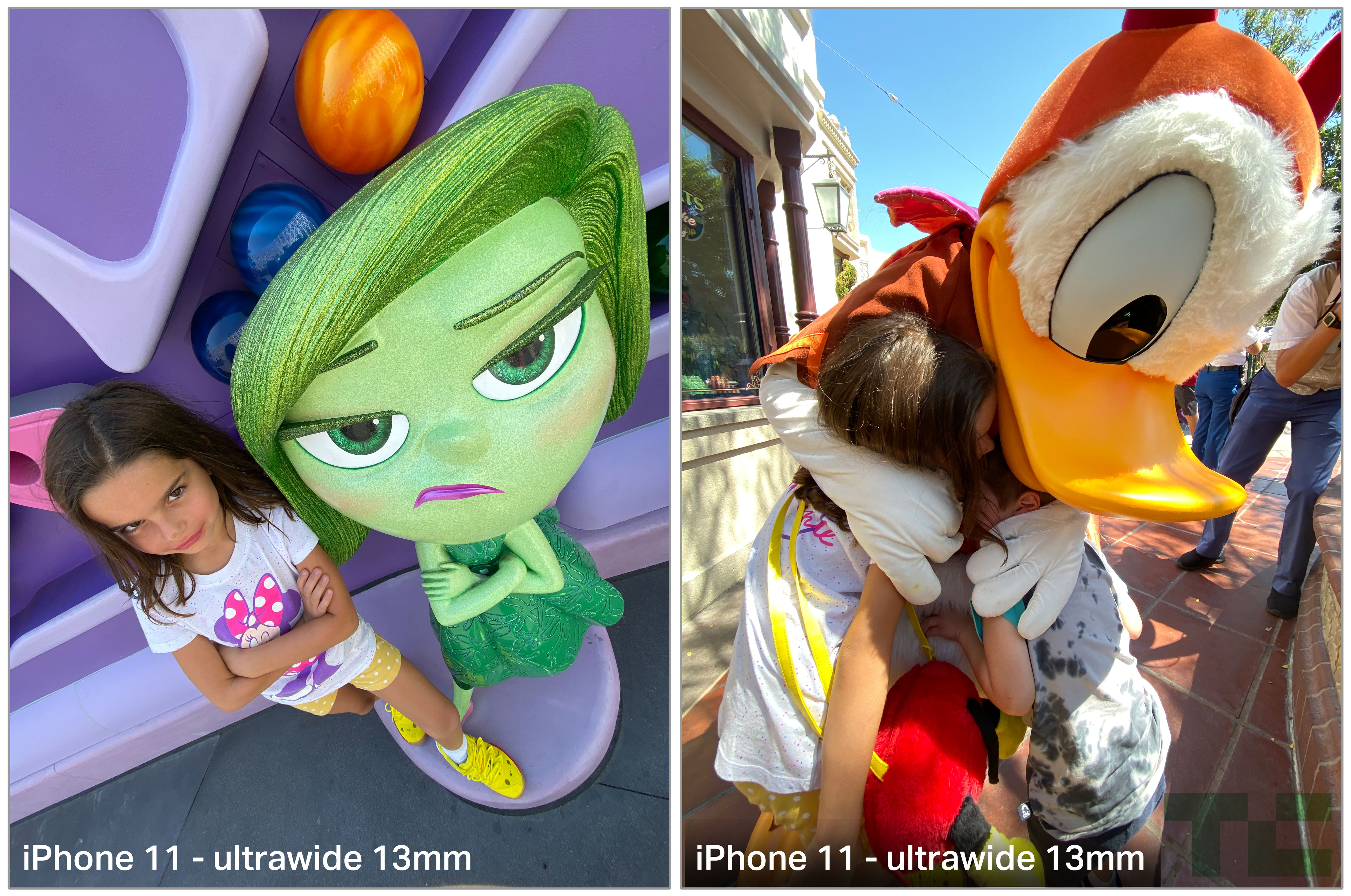
Both the iPhone 11 and the iPhone 11 Pro get a new “ultra wide angle” lens that Apple is calling a 13mm. In practice it delivers about what you’d expect from a roughly 13mm lens on a full-frame SLR — very wide. Even with edge correction it has the natural and expected effect of elongating subjects up close and producing some dynamic images. At a distance, it provides options for vistas and panoramic images that weren’t available before. Up close, it does wonders for group shots and family photos, especially in tight quarters where you’re backed up against a wall.
In my testing of the wide angle, it showed off extremely well especially in bright conditions. It allowed for great close up family shots, wide angle portraits that emphasized dynamism and vistas that really opened up possibilities for shooting that haven’t been on iPhone before.
One clever detail here is that when you shoot at 1x or 2x, Apple blends the live view of the wider angle lenses directly into the viewfinder. They don’t just show you the wide with crop marks over it, they are piping in actual feeds from the sensor so that you get a precise idea of how the image might look, while still letting you see that you have other options outside of the frame. It’s the camera viewfinder engineer version of stunting.
I loved shooting people with it up close, but that won’t be for everyone. I’d guess most people will like it for groups and for landscapes. But I found it great to grab fun tight shots of people or really intimate moments that feel so much more personal when you’re in close.
Of note, the ultra wide lens does not have optical image stabilization on either the iPhone 11 or iPhone 11 Pro. This makes it a much trickier proposition to use in low light or at night.
The ultra wide camera cannot be used with night mode because its sensor does not have 100% focus pixels and, of course, no OIS. The result is that wide angle night shots must be held very steady or soft images will result.
The ultra wide coming to both phones is great. It’s a wonderful addition and I think people will get a ton of use out of it on the iPhone 11. If they had to add one, I think adding the UW was the better option because of group shots of people are likely far more common than landscape photographers.
The ultra wide is also fantastic for video. Because of the natural inward crop of video (it uses less of the sensor, so it feels more cramped), the standard wide lens has always felt a little claustrophobic. Taking videos on the carousel riding along with Mary Poppins, for instance, I was unable to get her and Burt in frame at once with the iPhone XS, but was able to with the iPhone 11 Pro. Riding Matterhorn you get much more of the experience and less ‘person’s head in front of you’. Same goes with Cars where the ride is so dominated by the wind screen. I know these are very specific examples, but you can imagine how similar scenarios could play out at family gatherings in small yards, indoors or in other cramped locations.
One additional tidbit about the ultra wide: you may very well have to find a new grip for your phone. The lens is so wide that your finger may show up in some of your shots because your knuckle is in frame. It happened to me a bunch over the course of a few days until I found a grip lower on the phone. iPhone 11 Pro Max users will probably not have to worry.
HDR and Portrait Improvements
Because of those changes to the image pathway I talked about earlier, the already solid HDR images get a solid improvement in portrait mode. The Neural Engine works on all HDR images coming out of the cameras in iPhone to tone map and fuse image data from various physical sensors together to make a photo. It could use pixels from one camera for highlight detail and pixels from another for the edges of a frame. I went over this system extensively back in 2016 and its only gotten more sophisticated since with the addition of the Neural Engine.
It seems to be getting another big leap forward when Deep Fusion launches, but I was unable to test that yet.
For now, we can see additional work that the Neural Engine puts in with Semantic Rendering. This process involves your iPhone doing facial detection on the subject of a portrait, isolating the face and skin from the rest of the scene and applying a different path of HDR processing on it than on the rest of the image. The rest of the image gets its own HDR treatment and then the two images are fused back together.
This is not unheard of in image processing. Most photographers worth their salt will give faces a different pass of adjustments from the rest of an image, masking off the face so that it doesn’t turn out too flat or too contrasty or come out with the wrong skin tones.
The difference here, of course, is that it happens automatically, on every portrait, in fractions of a second.
The results are portraits that look even better on iPhone 11 and iPhone 11 Pro. Faces don’t have the artificially flat look they could sometimes get with the iPhone XS — a result of the HDR process that is used to open up shadows and normalize the contrast of an image.
Look at these two portraits, shot at the same time in the same conditions. The iPhone 11 Pro is far more successful at identifying backlight and correcting for it across the face and head. The result is better contrast ant color, hands down. And this was not an isolated experience, I shot many portrait shots side by side and the iPhone 11 Pro was the pick every time. With especially wide margins if the subject was back lit, which is very common with portraiture.
Here’s another pair, the differences are more subtle here but look at the color balance between the two. The skin tones are warmer, more olive and (you’ll have to trust me on this one) truer to life on the iPhone 11 Pro.
And yes, the High Key Mono works, but is still not perfect.
Night Mode
Now for the big one. The iPhone 11 finally has a Night Mode. Though I wouldn’t really call it a mode because it doesn’t actually require that you enable it, it just kicks in automatically when it thinks it can help.
On a technical level, Night Mode is a function of the camera system that strongly resembles HDR. It does several things when it senses that the light levels have fallen below a certain threshold.
It decides on a variable number of frames to capture based on the light level, the steadiness of the camera according to the accelerometer and other signals.
The ISP then grabs these bracketed shots, some longer, some shorter exposure.
The Neural Engine is relatively orthogonal to Night Mode working, but it’s still involved because it is used for semantic rendering across all HDR imaging in iPhone 11.
The ISP then works to fuse those shots based on foreground and background exposure and whatever masking the Neural Engine delivers.
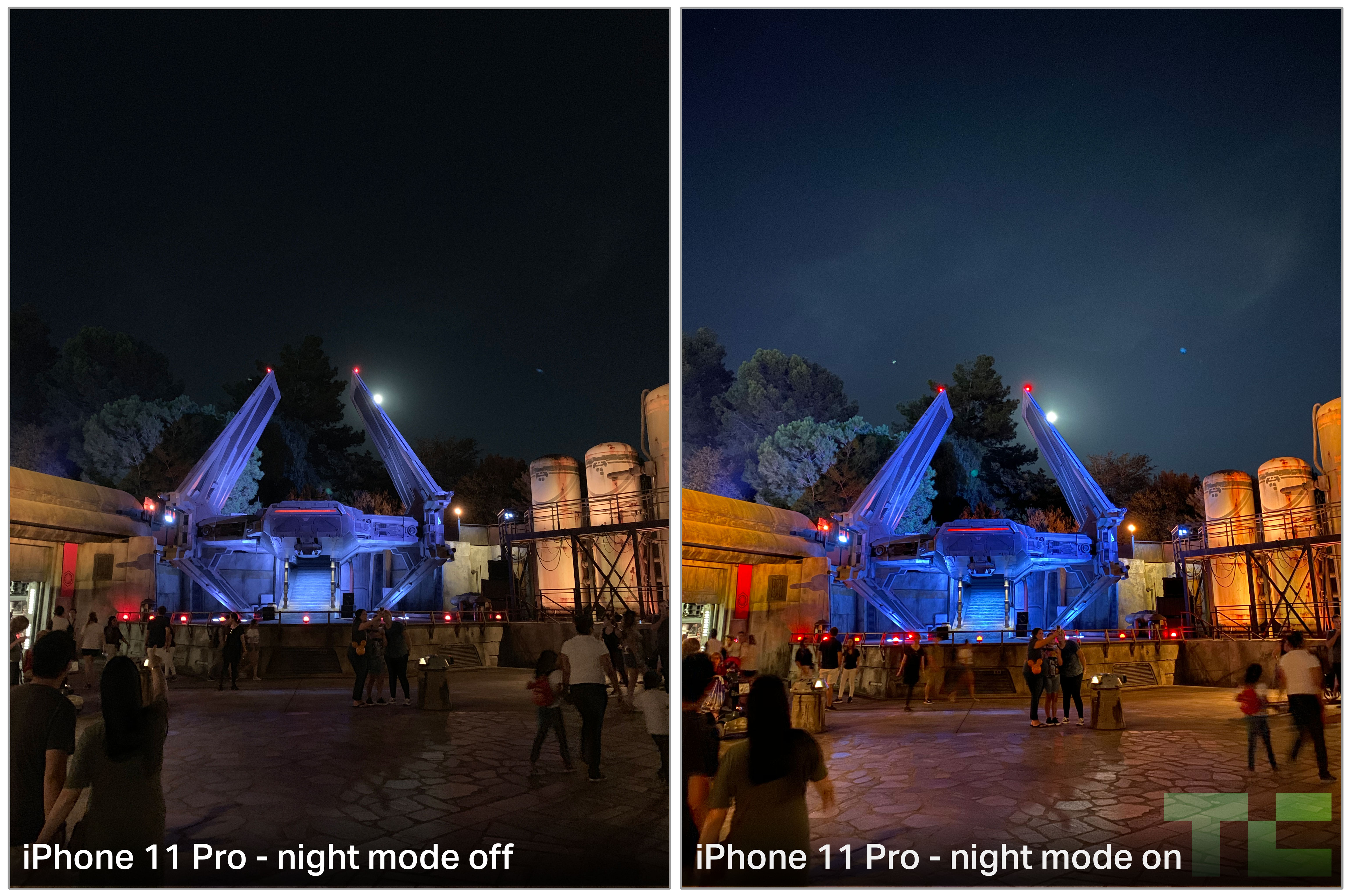
The result is a shot that brightens dark-to-very-dark scenes well enough to change them from throw away images to something well worth keeping. In my experience, it was actually difficult to find scenes dark enough to make the effect intense enough. The new 33% improvement in ISO in the wide camera and 42% improvement on telephoto on iPhone XS already help a lot.
But once you do find the right scene, you see detail and shadow pop and it becomes immediately evident even before you press the shutter that it is making it dramatically brighter. Night Mode works only in 1x and 2x shooting modes because only those cameras have the 100% focus pixels needed to do the detection and mapping that the iPhone 11 needs to make the effect viable.
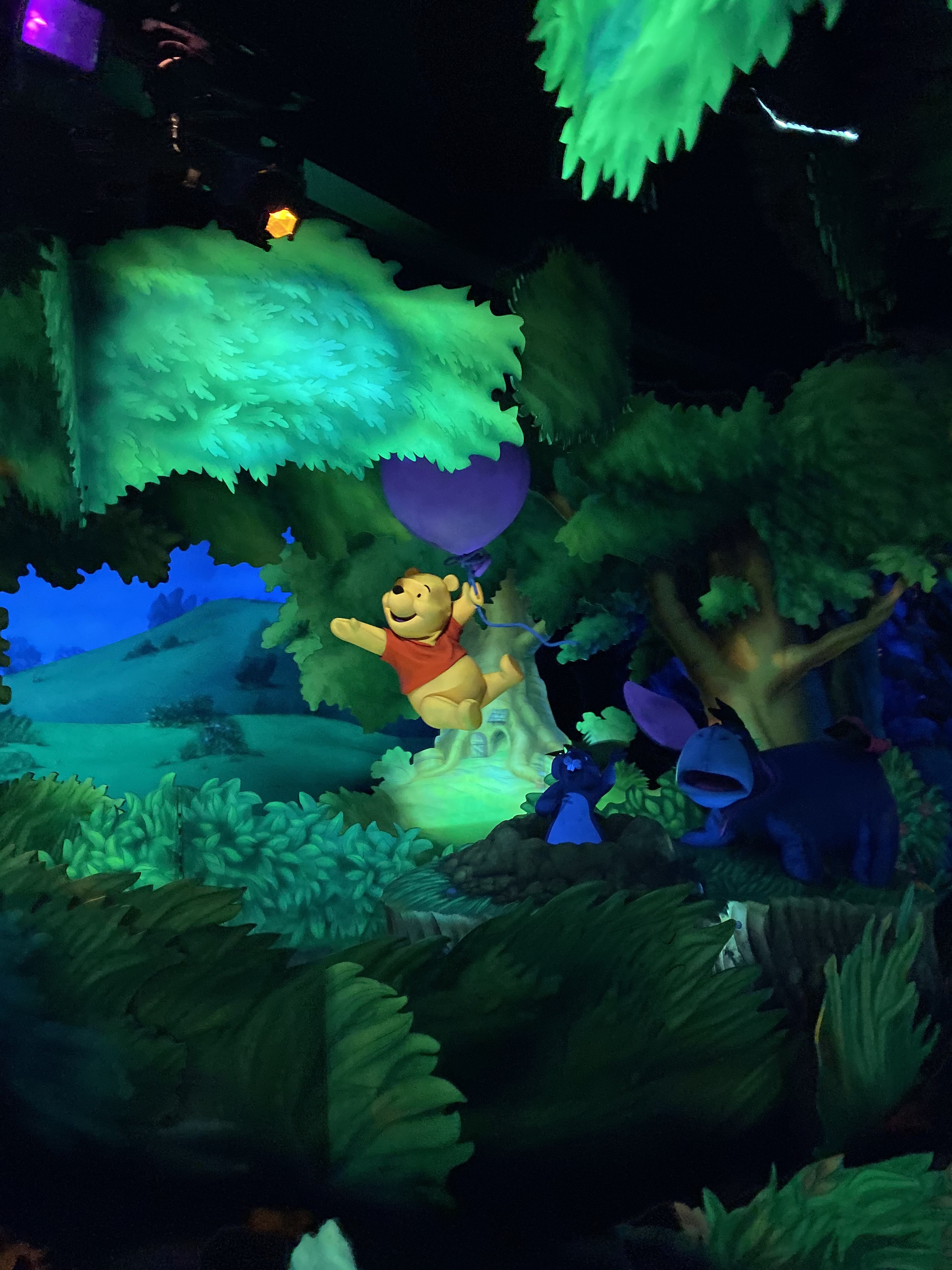
I have this weird litmus test I put every new phone camera through where I take it on a dark ride, like Winnie the Pooh, to see if I can get any truly sharp usable image. It’s a great test because the black light is usually on, the car is moving and the subject is moving. Up until this point I have succeeded exactly zero times. But the iPhone 11 Pro pulled it off. Not perfect, but pretty incredible all things considered.
A few observations about Night Mode:
The night images still feel like night time. This is the direct result of Apple making a decision not to open every shadow and brighten every corner of an image, flaring saturation and flattening contrast.
The images feel like they have the same genetic makeup as an identical photo taken without night mode. They’re just clearer and the subject is brighter.
Because of the semantic mapping working on the image, along with other subject detection work, the focal point of the image should be clearer/brighter, but the setting and scene does not all come up at once like a broad gain adjustment.
iPhone 11, like many other ‘night modes’ across phones, has issues with moving subjects. It’s best if no one is moving or they are moving only very slightly. This can vary depending on the length of exposure from 1-3 seconds.
On a tripod or another stationary object, Night Mode will automatically extend up to a 10 second exposure. This allows for some great night photography effects like light painting or trailing.
The result is naturally bright images that retain a fantastic level of detail while still feeling like they have natural color that is connected to the original subject matter.
Back when the Pixel 3 shipped Night Sight I noted that choosing a gain-based night mode had consequences, and that Apple likely could ship something based on pure amperage but that it had consistently made choices to do otherwise and would likely do so for whatever it shipped. People really hated this idea, but it holds up exactly.
iPhone XS Max. “Night Mode” is a healthy analog gain boost in the mid tone and shadow portions of the curve. Compromise is grain, grey shadows etc. There’s a lot of info in the sensor that isn’t being used in order to present something ‘realistic.’. Choices.
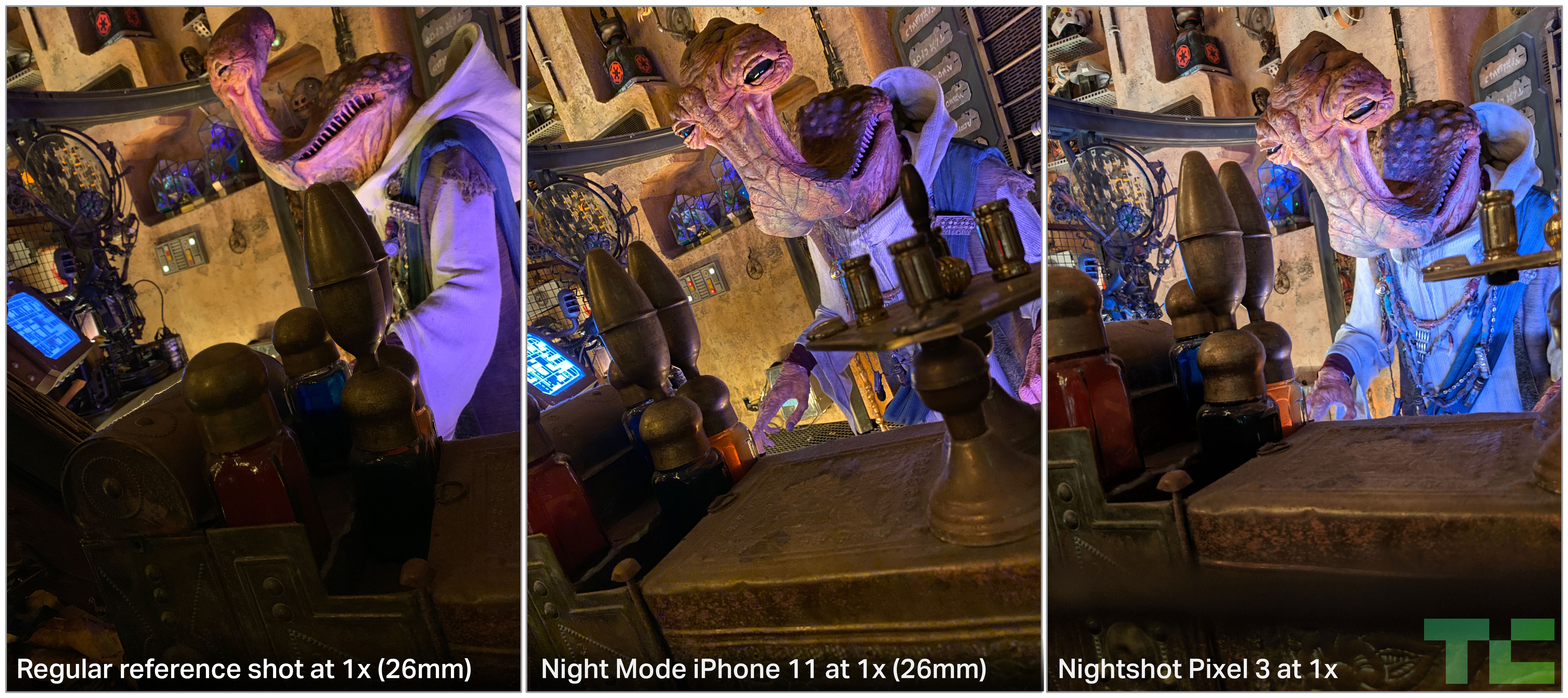
Though the Galaxy 10+ has a great night mode as well, the Pixel 3 was the pioneer here and still jumps to mind when judging night shots. The choices Google has made here are much more in the realm of ‘everything brighter’. If you love it, you love it, and that’s fine. But it is absolutely not approaching this from a place of restraint.
Here are some examples of the iPhone 11 Pro up against images from the Pixel 3. As you can see, both do solid work brightening the image, but the Pixel 3 is colder, flatter and more evenly brightened. The colors are not representative at all.
In addition, whatever juice Google is using to get these images out of a single camera and sensor, it suffers enormously on a detail level. You can see the differences here in the rock work and towers. It’s definitely better than having a dark image, but it’s clear that the iPhone 11 Pro is a jump forward.
The Pixel 4 is around the corner, of course, and I can’t wait to see what improvements Google comes up with. We are truly in a golden age for taking pictures of dark shit with phone cameras.
Of note, the flash is now 36% brighter than the iPhone XS, which is a nice fallback for moving subjects.
Tidbits
Auto crop
The iPhone 11 will, by default, auto crop subjects back into your videos shot at 1x or 2x. If you’re chasing your kid and his head goes out of frame, you could see an auto button on the 1 up review screen after a bit of processing. Tapping this will re-frame your video automatically. Currently this only works with the QuickTake function directly from the iPhone’s lock screen. It can be toggled off.
You can toggle on auto cropping for photos in the Camera settings menu if you wish, it is off by default. This has a very similar effect. It’s using image analysis to see if it has image data that it can use to re-center your subject.
Slofies
Yeah, they’re fun, yeah, they work. They’re going to be popular for folks with long hair.
U1
Apple has included a U1 chip in the iPhone 11 – can’t test it but it’s interesting as hell. Probably best to reserve talking about this extensively for a bit as Apple will ship the U1’s first iPhone functionality with a directional…AirDrop feature? This is definitely one of those things where future purposes, tile-like locator perhaps, were delayed for some reason and a side project of the AirDrop team got elevated to first ship. Interestingly, Apple mentioned, purely as an example, that this feature could be used to start car ignitions given the appropriate manufacturer support.
If this sounds familiar, then you’ve probably read anything I’ve written over the last several years. It’s inevitable that iPhones and Apple Watches begin to take on functionality like this, it’s just a matter of how to do it precisely and safely. The U1 has a lot to do with location on a micro-level. It’s not broad, network based or GPS based location, it’s precise location and orientation. That opens up a bunch of interesting possibilities.
No Night Mode
Night Mode
About that Pro
And then there was the name. iPhone 11 Pro. When I worked at a camera shop, you learned the power of the word “pro”. For some people it was an aphrodisiac, for others, a turn off. And for others, it was simply a necessity.
Is this the pro model? Oh I’m not a pro. Oooh, this is the pro!
We used it as a sales tool, for sure. But every so often it was also necessary to use it to help prevent people from over-buying or under-buying for their needs.
In the film days one of the worst things you could ever shoot as a pro-am photographer was gym sports. It was fast action, inside where it’s comparatively dim, and at a distance from court-side. There was no cheap way to do it. No cranking the ISO to 64,000 and letting your camera’s computer clean it up. You had to get expensive glass, an expensive camera body to operate that glass and an expensive support like a monopod. You also had to not be a dumbass (this was the most expensive part).
Amateurs always balked at the barrier of entry to shooting in these kinds of scenarios. But the real pros knew that for every extra dollar they spent on the good stuff, they’d make it up ten fold in profits because they could deliver product no parent with a point and shoot could hope to replicate.
However, the vast majority of people that walked into the shop weren’t shooting hockey or wrestling. They were taking family photos, outdoor pics and a few sunsets.
Which brings us to what the term Pro means now: Pro is about edge cases.
It’s not about the 80% case, it’s about the 20% of people that need or want something more out of their equipment.
For this reason, the iPhone 11 is going to sell really well. And it should because it’s great. It has the best new lens, an ultra wide that takes great family photos and landscape shots. It has nearly every software feature of iPhone 11 Pro. But it doesn’t have the best screen and it doesn’t have telephoto. For people that want to address edge cases – the best video and photo options, a better dark mode experience, a brighter screen — the iPhone 11 Pro is there — for everyone else, there’s still fiscal 2020’s best selling iPhone.
Self-driving truck startup TuSimple has added another $120 million to a Series D funding round led by Sina, operator of China’s biggest microblogging site Weibo, bringing the total haul to $215 million as it seeks to expand.
The company, which launched in 2015 and has operations in China, San Diego and Tucson, Arizona, hit unicorn status in February when it raised $95 million in the Series D round with a post-money valuation of $1.095 billion. This additional funding includes investment from UPS, which announced in August that it had taken a minority stake in TuSimple just months after the two companies began testing the use of autonomous trucks in Arizona.
TuSimple’s total funding is $298 million. New participants in the round include CDH Investments, Lavender Capital, and Tier 1 supplier Mando Corporation.
The company plans to use the funds to continue developing its autonomous vehicle technology and expand its long-haul routes in Arizona and Texas.
TuSimple is working on a “full-stack solution,” an industry term that means developing and bringing together all of the technological pieces required for autonomous driving. TuSimple is developing a Level 4 system, a designation by the SAE that means the vehicle takes over all of the driving in certain conditions.
In late 2017, TuSimple raised $55 million with plans to use those funds to scale up testing to two full truck fleets in China and the U.S. By 2018, TuSimple started testing on public roads, beginning with a 120-mile highway stretch between Tucson and Phoenix in Arizona and another segment in Shanghai.
The company has more than 50 trucks and 18 contracted customers, according to TuSimple CFO Cheng Lu.
One of those customers is UPS, which initially tapped TuSimple to help it better understand how Level 4 autonomous trucking might function within its network. That relationship expanded in May when the companies began using self-driving tractor trailers to carry freight on a freight route between Tucson and Phoenix to test if service and efficiency in the UPS network can be improved. UPS and TuSimple conduct daily testing between Phoenix and Tucson.