Category: UNCATEGORIZED

07 May 2019

Android Q scores a system-wide ‘Dark Theme’

Google is bringing a system-wide dark mode to Android Q. It’s called Dark Theme and it’s exactly what you would expect, changing white page elements to solid black across the OS for friendlier night-time viewing.

You’ll be able to activate dark mode by tapping a dedicate tile in Quick Settings or it can be auto-triggered when you turn on battery-saver mode. The company says the mode “it will help you save battery,” highlighting how “Dark Theme” will fire up less pixels on your OLED device.

It looks like the theme will be coming to all of the first-party Android apps. Developers should be able to bring the functionality to their apps to easily trigger dark modes when Dark Theme is enabled.

Google acknowledged it was a small update, but that didn’t stop the crowd from whopping it up.

07 May 2019

Android now has 2.5B users

At its I/O developer conference, Google today announced that Android now has over 2.5 billion users. That’s up from 2 billion the company announced two years ago.

This means overall Android growth remains on pace, though it’s not exactly accelerating. From September 2015 to May 2017, the company added about 400 million new users. It took another two years to add 500 million additional users.

Android remains the most popular mobile operating system, though over the course of the last few years, Google also invested in KaiOS, the outgrowth of Mozilla’s failed Firefox OS. We didn’t hear much about KaiOS at I/O so far, but there is a good chance that this platform will become more important over time as more users come online in developing countries, something Google is quite aware of.

07 May 2019

Google Lens can translate foreign language text in photos and read it back to you

Google is making some updates to its impressive visual translation tech from Google Translate and throwing it into Lens. You can snap a photo of a sign in a foreign language and it will translate it to your chosen language.

A version of this work was already visible inside the Google Translate app, but the latest demo brings some new functionality. You can tap a “listen” button and Lens will read the text out to you in the translated language and highlight what word it’s reading so you can follow along.

The Lens team has been working with early testers in India and is working to make the technology lightweight enough that it can run on less robust phones. Google said the tech stack is just 100 kilobytes. It’s currently available

No vague allusions on when this stuff is going to be released, but hey, that’s Google I/O.

07 May 2019

Google Assistant gets more personalized through a new ‘Picks for You’ feature

In addition to Google’s plan to bring a more powerful, next-generation Google Assistant to Pixel phones, the company also introduced new personalization features for its digital assistant. The update will take into account user preferences to help when choosing what to listen to, what to do on the weekend, or even what to eat. For example, the Google Assistant will be able to respond to a question like “What should I cook for dinner?” with selection of recipes tailored just for you.

Other people would get different results, based on their own preferences.

The feature will also leverage Google’s new plans to index podcasts, by making personalized suggestions of what to listen to.

The system, called “Picks for You” will launch on smart displays later this summer, beginning with recipes, podcasts, and events, said Google.

Beyond its understanding of your interests, Google Assistant will know which people are important to you, as well.

For instance, you could ask “How’s the traffic to mom’s house?” and Google Assistant would know where that is, and respond accordingly.

For this to work, you’ll have to share information with the system first — similar to how you today share locations with Google’s service like, “Home” or “Work,” for instance. This could include locations or important events — like mom’s birthday.

Once updated with the information you want Google Assistant to know, you could ask it to remind you to order flowers or get a card for mom’s birthday.

Other examples could include asking the Assistant for photos of your son, or directions to your dinner reservation tonight.

Users will be in control of what Google Assistant knows, as they’ll be able to edit or delete this sort of information in an updated tab in the Assistant settings, Google said.

07 May 2019

A super fast, next-generation Google Assistant is coming to new Pixel phones this year

A next-generation Google Assistant that can handle more complex tasks — quickly switching from hailing a ride, to checking the weather and taking a selfie — is coming to new Pixel phones later this year.

An early demonstration of the more robust Google Assistant was shown Tuesday at Google I/O 2019, the company’s annual developer conference.

A key feature is that users will no longer have to exclaim “Hey Google” for every question or task. Instead, a user can make a variety of requests after the initial “Hey Google” wake command.

During the demo, a Google employee on stage was able to use the voice assistant to craft a text message, quickly search photos of a trip, add the photo and send the message. In a subsequent task, the user verbally asked for flight information, added to the text and sent.

The next-gen Google Assistant will be able to compose and send emails as well.

07 May 2019

Google Assistant gets driving mode

Google’s Assistant app for your phone is getting a voice-enabled driving mode, the company announced today at its annual developer conference. The idea is to bring relevant activities front and center. The Driving Mode dashboard features personalized suggestions for navigation, messages, calling and media.

Within driving mode, for example, you can see if you have a dinner reservation and if so, can quickly tap to navigate there via Google Maps. Once you’re in navigation, you can say, “Hey, Google, play some jazz.” If your mom calls, a notification will appear within the Maps app, asking you if you want to answer the phone. You can then simply say “yes” or “no.”

Driving mode, coming this summer on Android, will automatically launch when you connect your phone to your car’s bluetooth. If you’re not connected to your car, you can just say, “Hey Google, let’s drive.”

In addition to driving mode, Google is making it possible to use Assistant to remotely control your car. For example, you could ask Google to adjust your car’s temperature before you get in. This feature will be available in “the coming months” to cars compatible with Hyundai’s “Blue Link” and Mercedes-Benz’s “Mercedes me connect.”

07 May 2019

Daily Crunch: Twitter tweaks Retweets

The Daily Crunch is TechCrunch’s roundup of our biggest and most important stories. If you’d like to get this delivered to your inbox every day at around 9am Pacific, you can subscribe here.

1. Twitter gives Retweets an upgrade

Twitter will now allow users to add a photo, video or GIF to a Retweet, instead of only text. The feature is live on iOS, Android and Twitter’s mobile website.

Though a seemingly minor upgrade, the addition could significantly increase the amount of media that’s shared on Twitter.

2. Microsoft launches Visual Studio Online, an online code editor

The emphasis here is on Visual Studio Online being a “companion.” It’s not meant to become a developer’s default environment but instead as a way to make a quick edit, review a pull request or join a Live Share session.

3. Google refreshes Android Auto with new features and a darker look

Android Auto — the in-car platform that brings the look and functions of a smartphone to the vehicle’s central screen — is getting a new look and improved navigation.

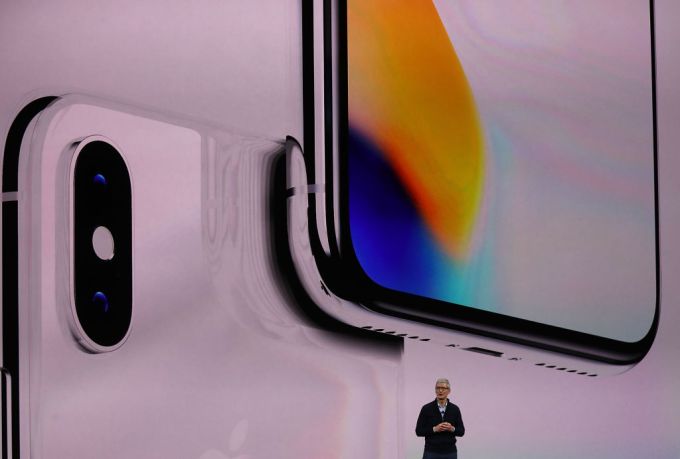
CUPERTINO, CA – SEPTEMBER 12: Apple CEO Tim Cook speaks during an Apple special event at the Steve Jobs Theatre on the Apple Park campus on September 12, 2017 in Cupertino, California. (Photo by Justin Sullivan/Getty Images)

4. iOS reportedly getting its very own swipe-to-type keyboard

Bloomberg’s Mark Gurman has published a big list of little software tweaks that his sources say are coming to iOS at WWDC.

5. US digital advertising exceeded $100B in 2018 (IAB report)

And that money is increasingly concentrated, with 77% going to the top 10 ad sellers.

6. GM Cruise raises $1.15B at a $19B valuation from SoftBank and Honda

GM Cruise has one of the most aggressive timelines among companies hoping to deploy a commercial self-driving vehicle service. It’s grown from a small startup with 40 employees to more than 1,000 today at its San Francisco headquarters.

7. Where top VCs are investing in media, entertainment & gaming

We asked nine top VCs to share where they’re putting their money. (Extra Crunch membership required.)

07 May 2019

Protestors fly banner-towing plane over Google I/O

It wouldn’t be a Google I/O without a little bit of controversy. In the middle of today’s keynote, a plane started circling the amphitheater where Google holds its annual conference, towing a protest banner. “Google control is not privacy #savelocalnews,” the banner read.

That’s a first for Google. We’ve seen the occasional protests inside the venue, but mostly outside. With I/O happening in an outdoor space, the company opens itself up to this kind of protest and there’s really no way to stop it. There were also no flight restrictions for the airspace over the venue.

Google, of course, once flew blimps over I/O to show off Google Glass. Those were different times, though.

It’s a bit odd to see protestors use something as expensive as a banner tow, but it’s not unheard of either. The text on the banner is also a bit of an odd mix of privacy concerns and advocating for local news, but there is only so much you can fit on a banner, I guess.

07 May 2019

Google is bringing AI assistant Duplex to the web

Last year at Google I/O, the tech giant’s annual developer conference in Mountain View, Calif., the company showed off a splashy demo of an artificial intelligence assistant, Duplex, that could book reservations on your behalf via the phone. Now, Google is gearing up to launch Duplex on the Web, Google CEO Sundar Pichai announced at Google I/O this morning.

Duplex, which is live in 44 states, is now expanding beyond the phone and voice to the web. To start, Duplex will be focused on a couple of narrow use cases: car bookings and movie ticketing, Pichai said.

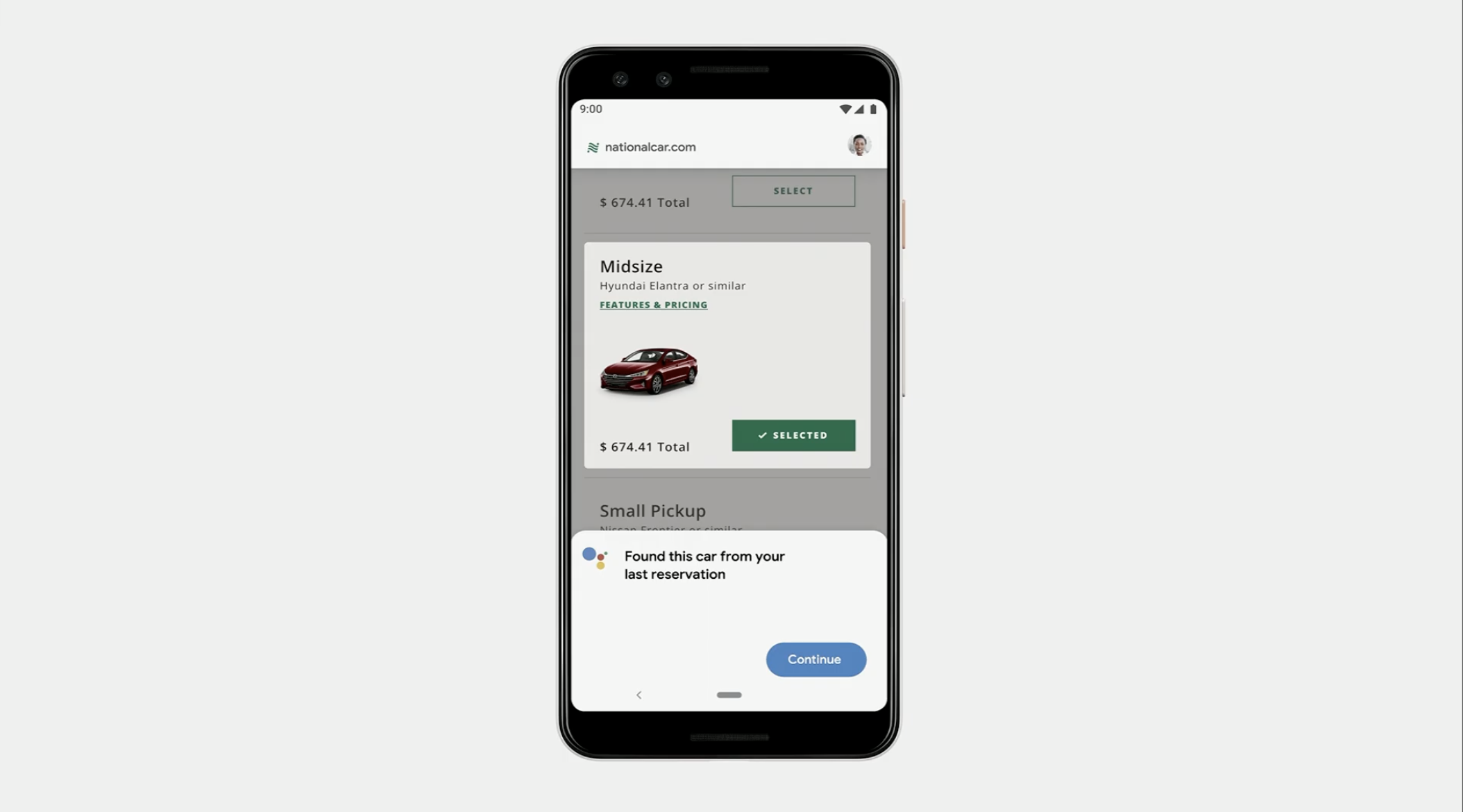
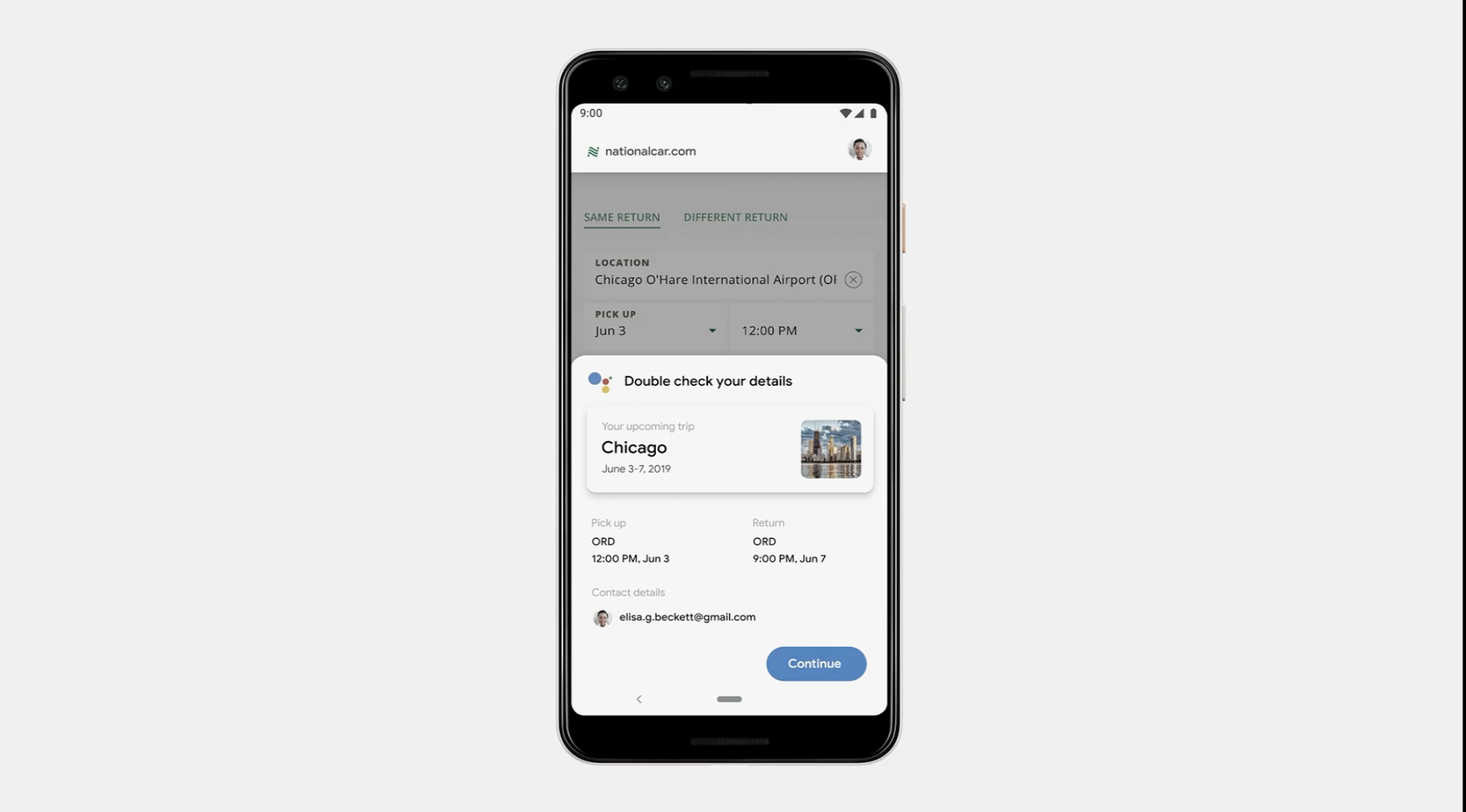
Let’s say, for example, you get a calendar reminder about an upcoming trip. You can then ask Google to rent a car for your next trip. Duplex will then open up the car rental company’s website and fill out all of the necessary information on your behalf. Before submitting the request, you can double check the details.

Pichai said Google will share more details on Duplex’s web version later this year.

07 May 2019

Snap a photo of a menu and Google Lens can tell you what to order

Last year at Google I/O, the company wowed the audience by showcasing Duplex as a way to make restaurant reservations. It seems that the company is psyched to solve dining’s most annoying problems, because they’re now tapping computer vision tech to help people order the right meal and split the check.

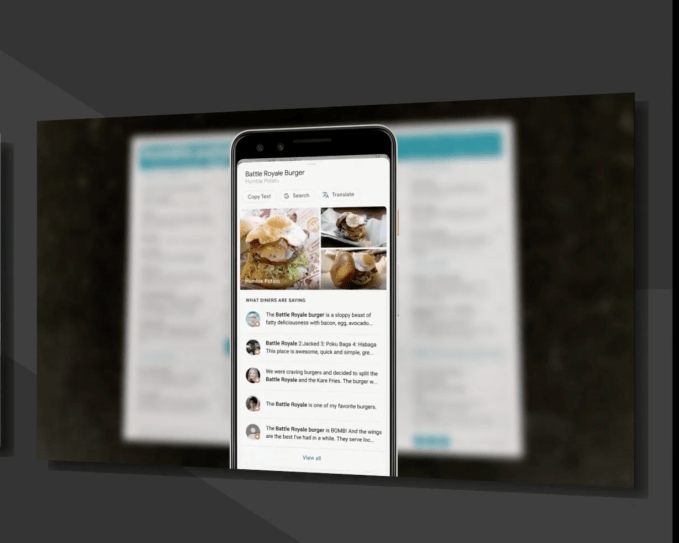
The company’s AI/AR platform, Google Lens has new capabilities for restaurant diners, by pointing the camera at a restaurant menu, Google will rapidly match the names of menu items with data in Google Maps and will actually highlight the names of the restaurant’s most popular dishes.

By tapping on the names of the dishes on your phone, you’ll be able to see photos of that meal that have been tagged.

After you finish eating, Lens can help with that too. By pointing the camera at your receipt, you can calculate the tip or more impressively, split the bill with an in-camera calculator.

Like with most Google I/O announcement, details were murky on when and where this functionality is coming.