Category: UNCATEGORIZED

07 May 2019

Live transcription and captioning in Android are a boon to the hearing-impaired

A set of new features for Android could alleviate some of the difficulties of living with hearing impairment and other conditions. Live transcription, captioning, and relay use speech recognition and synthesis to make content on your phone more accessible — in real time.

Announced today at Google’s I/O event in a surprisingly long segment on accessibility, the features all rely on improved speech-to-text and text-to-speech algorithms, some of which now run on-device rather than sending audio to a datacenter to be decoded.

The first feature to be highlighted, live transcription, was already mentioned by Google before. It’s a simple but very useful tool: open the app and the device will listen to its surroundings and simply display any speech it recognizes as text on the screen.

We’ve seen this in translator apps and devices, like the One Mini, and the meeting transcription highlighted yesterday at Microsoft Build. One would think that such a straightforward tool is long overdue, but in fact everyday circumstances like talking to a couple friends at a cafe, can be remarkably difficult for natural language systems trained on perfectly recorded single-speaker audio. Improving the system to the point where it can track multiple speakers and display accurate transcripts quickly has no doubt been a challenge.

Another feature enabled by this improved speech recognition ability is live captioning, which essentially does the same thing as above, but for video. Now when you watch a YouTube video, listen to a voice message, or even take a video call, you’ll be able to see what the person in it is saying, in real time.

That should prove incredibly useful not just for the millions of people who can’t hear what’s being said, but also those who don’t speak the language well and could use text support, or anyone watching a show on mute when they’re supposed to be going to sleep, or any number of other circumstances where hearing and understanding speech just isn’t the best option.
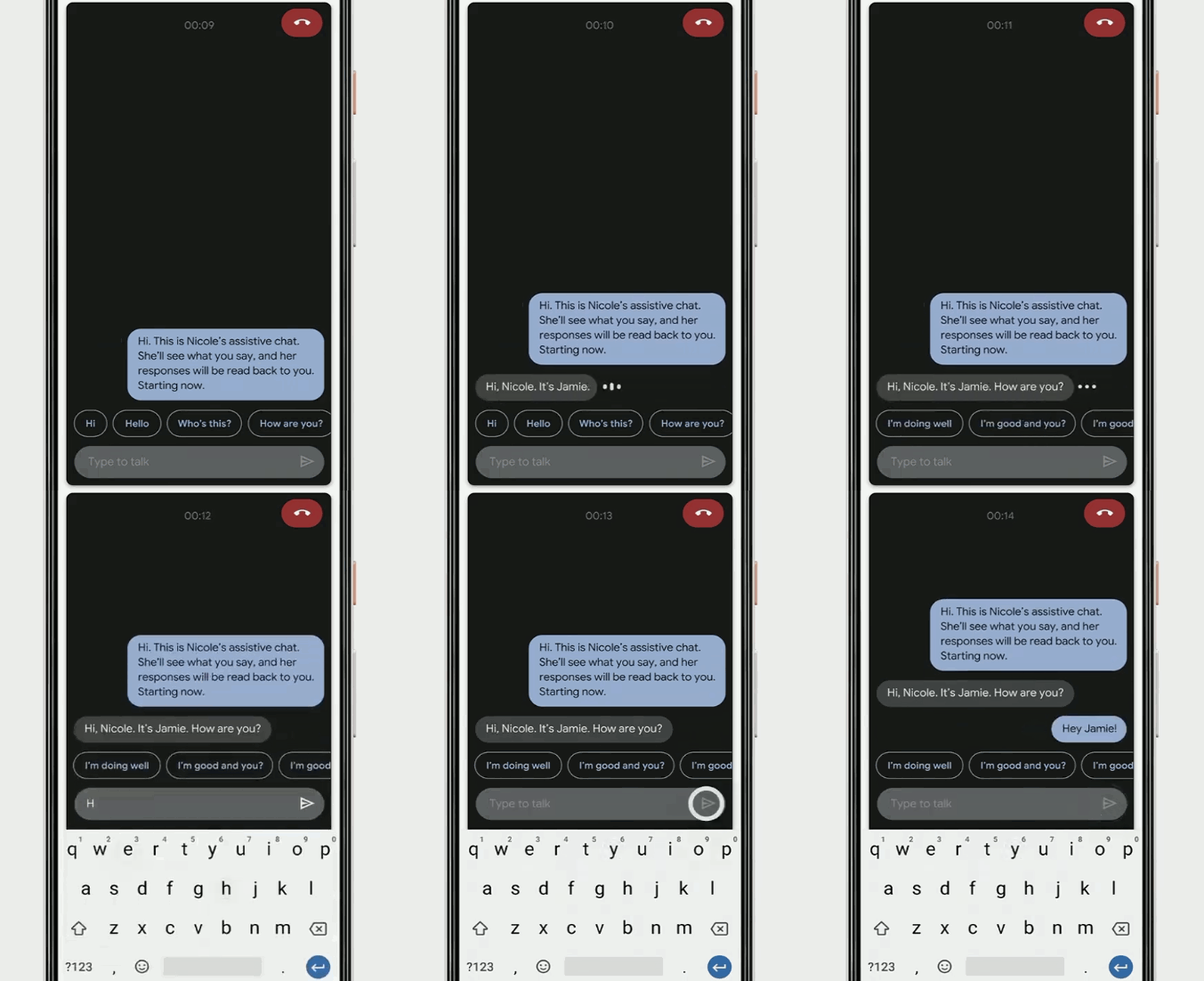
Gif showing a phone conversation being captioned live.Captioning phone calls is something CEO Sundar Pichai said is still under development, but the “live relay” feature they demoed on stage showed how it might work. A person who is hearing-impaired or can’t speak will certainly find an ordinary phone call to be pretty worthless. But live relay turns the call immediately into text, and immediately turns text responses into speech the person on the line can hear.

Live captioning should be available on Android Q when it releases, with some device restrictions. Live transcribe is available now but a warning states that it is currently in development. Live relay is yet to come, but showing it on stage in such a complete form suggests it won’t be long before it appears.

07 May 2019

Google expands digital wellbeing tools to include a new ‘Focus mode,’ adds improved parental controls to Android

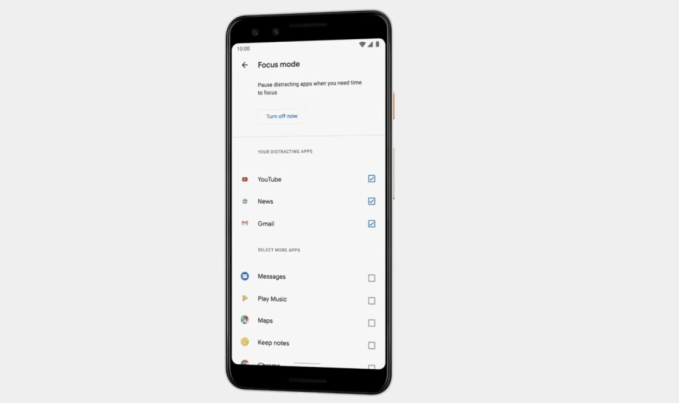
Last year at Google I/O, Google introduced a host of new digital wellbeing tools aimed at helping people better manage their screen time, track app usage, and configure their device’s ‘do not disturb’ settings. Today, Google is updating its suite of tools to include a new feature called “Focus Mode” that lets you temporarily disable distracting apps while not missing critical information, as well as a few new features for users of its parental control software, Family Link, which is now a part of the Android OS.

With Focus Mode, a new feature for Android devices, you can turn off the apps you personally find distracting while you’re trying to sit down and get things done. For example, you could disable updates from distracting social media apps or email, but could choose to leave texting on so family members could reach you in an emergency.

Though not mentioned during the announcement, the feature could also help people enjoy their devices in their downtime — like streaming from Netflix without getting bothered by Slack notifications and work email. That’s not necessarily a way to reduce screen time — which is what a lot of today’s digital wellbeing features provide. Instead it’s about finding balance between when it’s time to work and when it’s not, and what things deserve our attention at a given time.

Also unveiled today at Google I/O were new features for Family Link, Google’s software that lets parents control what kids can do on their devices, and track their usage.

Now, parents can set time limits on specific apps instead of just “screen time” in general. This is similar in a way to what Amazon’s FreeTime parental controls today offer, as they allow parents to require that kids finish their reading before they can play games, for example. In Google’s case, it’s instead allowing parents to limit certain apps they believe are distractions to children.

Another new feature will allow parents to give kids extra screen time, or “bonus time.”

This could help kids who need just a few more minutes to wrap up what they’re doing on their device, or could be doled out as a reward, depending on how parents wanted to use the feature.

The company also announced it’s making Family Link part of every Android device, beginning with Android Q. That means Family Link will become accessible from device settings, instead of being an optional app parents can choose to download.  You’ll find it under the “digital wellbeing and parental controls” in Android Q devices rolling out later this summer, says Google.

“We’re spending a lot of time on phones, and people tell us, sometimes they wish they spent more time on other things. We want to help people find balance and digital wellbeing. And yes, sometimes this means making it easier to put your device away entirely, and focus on the times that really matter,” said Stephanie Cuthbertson, Senior Director for Android. 

She said these tools were already proving useful, as 90% of app timers helped users stick to their goals and there was a 27% drop in nightly usage thanks to Wind Down. However, the company didn’t share how many users were taking advantage of the digital wellbeing features as a whole.


07 May 2019

Google Maps AR directions rolls out today on Pixel phones

One of the more bizarre, yet intriguing, demos from last year’s Google I/O is now available for real users. AR walking directions in Google Maps is finally rolling out to Pixel users today.

Augmented reality directions will let users better orient themselves when they pop open Google Maps and will give users more visual cues to ensure they’re not getting lost. The directions will surface in a camera view and will place arrows in physical space.

The mode can help you when your phone’s GPS is a little off as the phone identifies visual attributes of your space and matches it to what information it has about your location in the cloud.

We got a hands-on with the AR Maps feature earlier this year and were generally impressed.

No mention of when this feature might be coming to non-Pixel phones, with the company noting that this is an “early preview.”

07 May 2019

Android Q devices will get over-the-air security updates — but there’s a catch

Devices shipping with Android Q will receive over-the-air security patches without having to go through device manufacturers.

A lack of steady security updates has been a major pain point for Android users over the years. Google finally has a fix for the problem. At its annual developer conference Tuesday, the tech giant said it’ll bypass mobile makers and push security updates directly to devices.

The benefit is that users won’t have to wait lengthy periods for device manufacturers to test and quality assure the patches for their devices for fixes to critical security vulnerabilities that put users at risk.

Security updates for Android Q will be focused on 14 modules crucial to the operating system’s functioning — including media codecs, which have long plagued the Android software with a steady stream of security flaws.

There’s a catch — two, in fact.

Devices updating to Android Q will not work with over-the-air security updates and some manufacturers can opt-out altogether, according to The Verge which first reported the news, rendering the feature effectively useless. The new feature will also not be backported to earlier versions of Android. Google hasn’t updated its Android software version distribution pages for some months. Given that based on the figures available, more than half of all Android users are still on Android 5.0 Lollipop and earlier, it could take years for Android Q to match the same usage share.

Still, Google has to start somewhere. Android Q is expected out later this year.

07 May 2019

Google’s Pixel 3 and 3a are coming to more carriers, including Sprint and T-Mobile

If you’re going to go carrier exclusive, Verizon (disclosure: our parent company’s parent company) is probably about as good as any. Ultimately, however, exclusives invariably do more harm than good when it comes to growing your footprint.

That’s no doubt a key part of why Google had a rocky financial quarter when it came to the Pixel line. Exclusivity coupled with all the other headwinds currently facing the smartphone industry spelled bad news for the reliable line. Thankfully, however, that’s starting to change with today’s arrival of the Pixel 3a.

The budget handset, along with its flagship brethren, are about to be available on a lot more carriers. Google’s keeping Verizon around and adding T-Mobile, Sprint, US Cellular, Spectrum Mobile (Charter) and C Spire. The devices will be available online through those carriers starting today and will be hitting shelves tomorrow.

That means a heck of a lot a lot more retail display space and ad dollars will be pumped into the product, which should help give the new handset and its six-month-old predecessor a nice little bump ahead of Google’s Q2 reports.

AT&T is notably the odd one out here. While the devices will support the carrier, they won’t be available through its retail channels — not will they be available through contract. That certainly makes a difference here in the States where contracts are still king.

07 May 2019

The headphone jack is back for the Google Pixel 3a

Hello old friend. I knew you would be back. I didn’t know how or when, but I knew we would be reunited again. It turns out all it would take was a cratering smartphone market to bring you back around.

Google, of course, famously stood its ground on the importance of the 3.5 mm for the first Pixel, only to drop it a generation later. Now that the company’s got a budget offering in the form of the Pixel 3a, it’s returned to the nurturing arms of the hardwired headphone.

The move makes financial sense. Hardware manufacturers have been a bit more hesitant to drop the technology of budget and mid-tier devices, due to the added cost of asking users to upgrade to either Bluetooth headphones USB-C models.

Curiously, however, the 3a won’t actually ship with its own headphones. According to Google, “Since Pixel 3a has compatibility with 3.5mm analog audio, USB-C digital audio and wireless Bluetooth 5.0, we feel like this gives users the flexibility to choose the headphones that are best suited to their individual needs. “

I mean, sure. But let’s be real, this like had a lot more to do with manufacturing margins on the devices. Given how cheap these sorts of default headphones likely are to produce, however, it would have been a nice gesture to toss them in for users.

07 May 2019

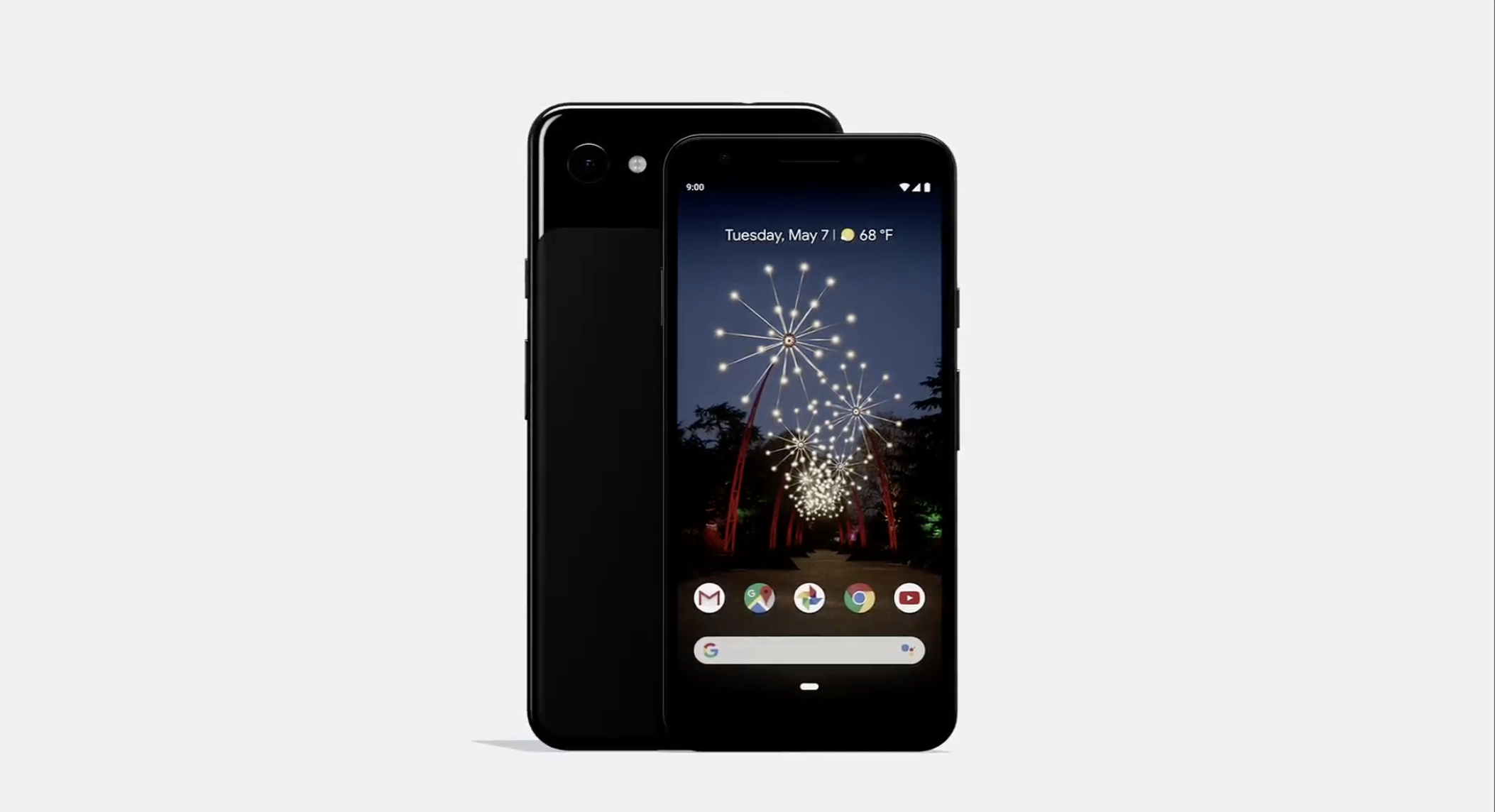
Google’s budget Pixel 3a starts at $399, available in ‘purple-ish’

Last week’s earnings didn’t go the way Alphabet wanted. The fault primarily lies at the feet of the company’s ad business, but the hardware side didn’t come out great, either. Like the rest of the industry, Google’s been struggling to sell smartphones. Sundar Pichai cited “year over year headwinds” in reference to Pixel 3 sales figures.

He did, however, hint at good things to come. Selling the future is an important part of a CEO’s job, of course, but there are reasons to be hopeful. There are interesting innovations on the way, like 5G and foldables, and, in Google’s case, there are other things in the works. Pichai alluded to both a new Taipei R&D campus and, in the much shorter term, hardware announcements planned for Google I/O.

It was clear to all listening that the exec was referring to the Pixel 3a with the latter bit. Like the Pixel 3 before it, the phone had leaked out all over the place in the preceding months and weeks. By late last week, it was showing up at Best Buys in Ohio.

Like the aforementioned Taipei campus, the device is very much the product of Google’s massive investment in HTC’s R&D team. Tired of outsourcing design, the company simply went ahead and picked up an existing property. The deal made sense from Google’s perspective — HTC knows how to make phones, even if it’s forgotten how to actually sell them.

Another thing the Taipei team brought to the table was the ability to build a phone on a budget. It’s something that could ultimately prove a saving grace for the Pixel team as Google and the industry at large grapple with those “headwinds” of stagnant global economies and slowed upgrade cycles. What makes the 3a a particularly compelling product, however, is how it fits in with Google’s long-stated plan of innovating more on the software/AI/ML fronts.

From the sound of the company’s past rhetoric, hardware is becoming increasingly irrelevant to the topic of smartphone advances, and this $399 handset is a good place to prove that out.

“The smartphone market has started to flatten,” Google VP of Product Management Mario Queiroz told TechCrunch ahead of launch. “We think one of the reasons is because, you know, the premium segment of the market is a very large segment, but premium phones have gotten more and more expensive, you know, three, four years ago, you could buy a premium phone for $500.”

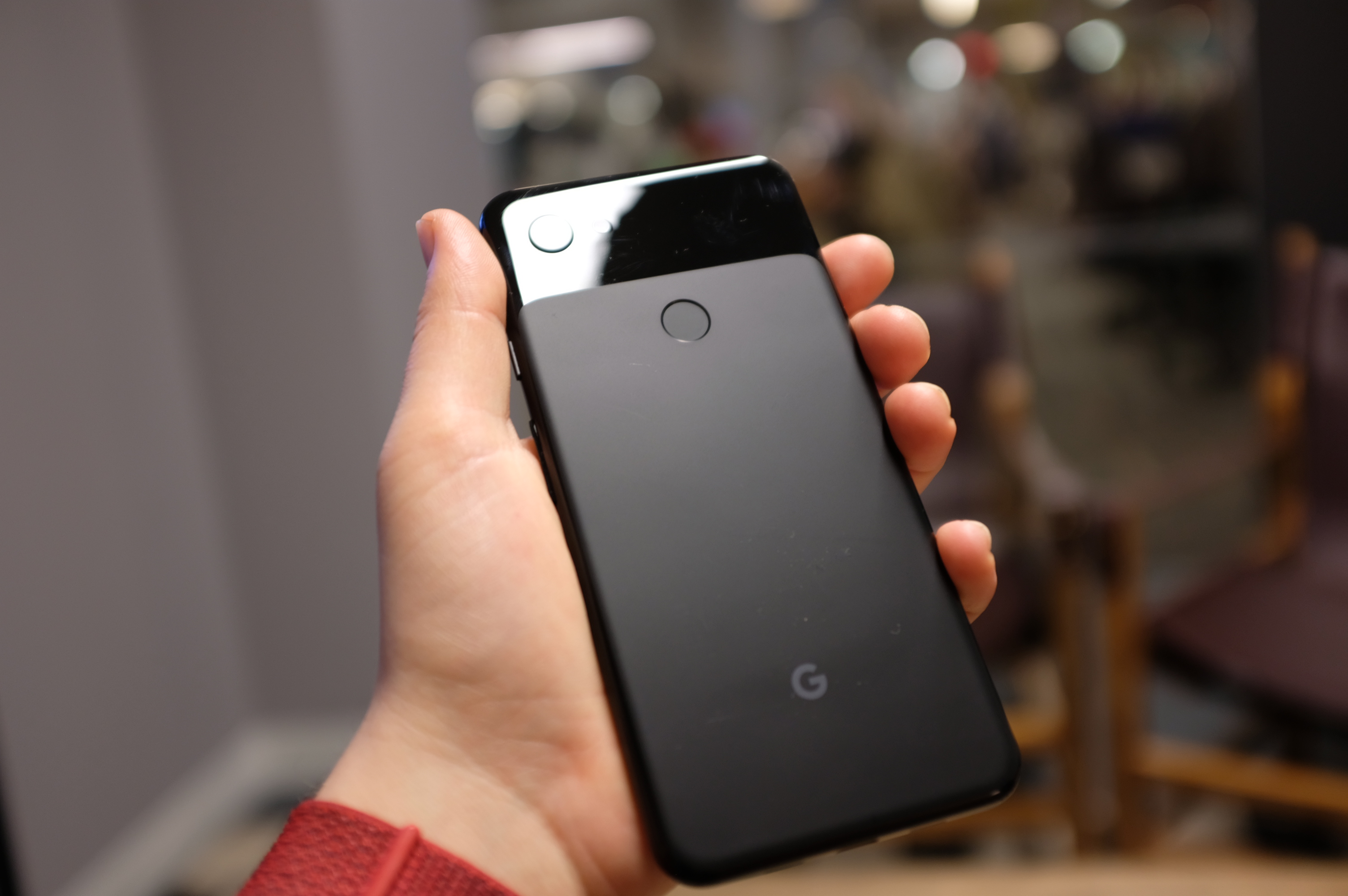
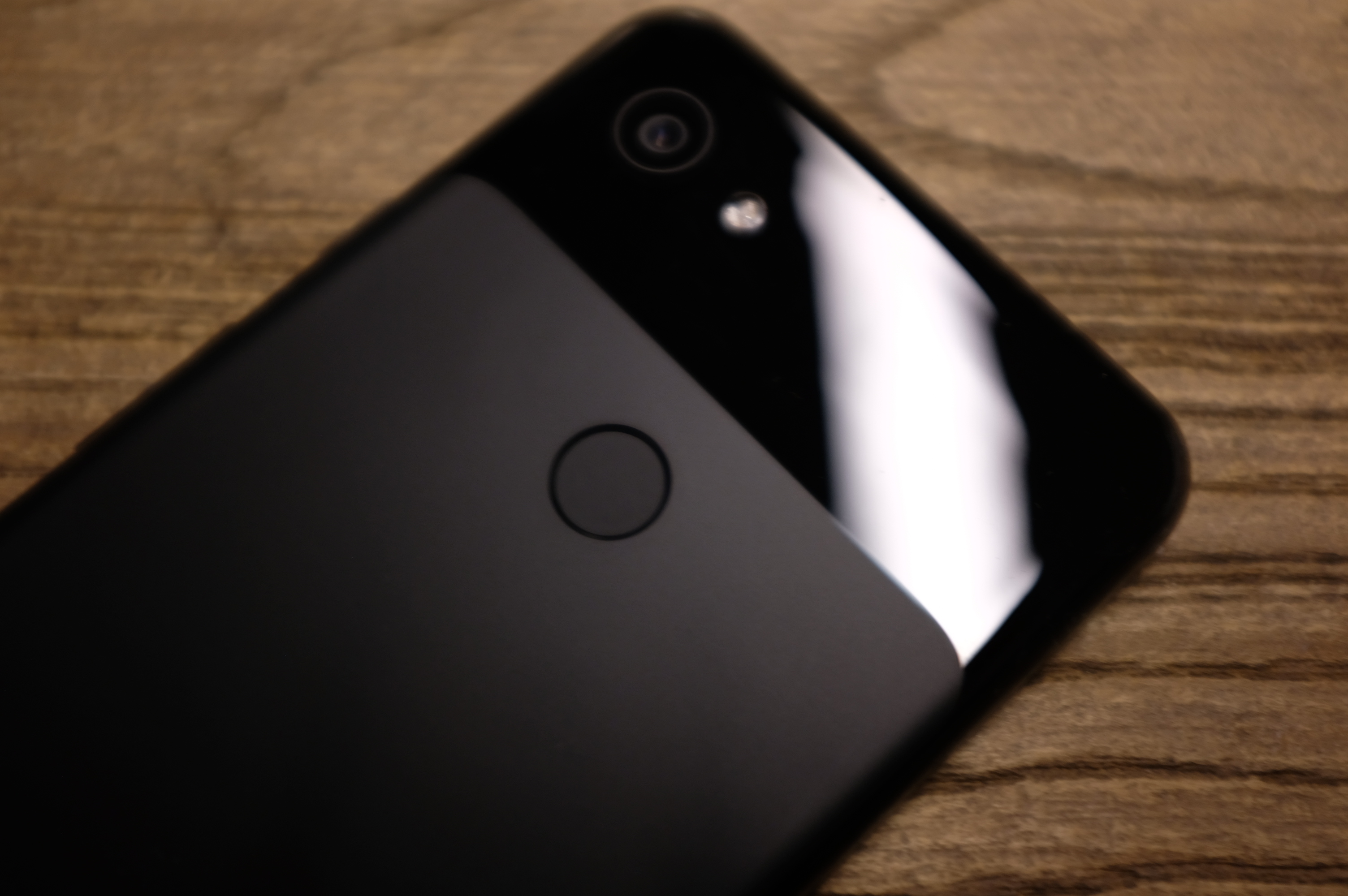
The Pixel 3a cuts some hardware corners, compared to its flagship brethren, but manages the feat of coming in at $399 for the standard version and $479 for the XL — those sport 5.6 and 6.0 OLEDs, respectively. The design looks remarkably similar to the Pixel 3, though the glass and metal materials have been swapped out for a cheaper polycarbonate unibody design.

The biggest change internally is the switch from last year’s cutting edge Snapdragon 845 to a much more middling 640. That won’t make a huge difference for most daily tasks, but you may well notice an impact on more resource-intensive tasks like gaming.

I’ve been using the XL for a couple of days now (albeit laid up in bed with the stomach flu for a few of them), and have found it to be a pretty reliable mid-tier device, coupled with some of the standard Pixel features like Active Edge — not to mention the shocking return of the headphone jack. I’ll report back when I’ve been able to play with it a bit longer, to see whether Google’s promise of hardware agnosticism can really excel here.

Google does seem to have a lot of hope riding on this one, along with what looks to be a shift to a half-year phone release cycle (flagship in fall, budget in spring). The company is competing with a lot of budget smartphone makers, including one-time subsidiary Motorola and countless manufacturers in China. The appeal of a cheaper Pixel is apparent, but this isn’t a device that screams excitement, Purple-ish color aside.

That said, Google finally opening the device to additional U.S. carriers beyond Verizon should certainly help. The 3a will be available online starting today, with in-store availability starting tomorrow.

07 May 2019

Google renames Home Hub to the Nest Hub and releases a 10-inch Nest Hub Max

The Home Hub has been a hit for Google, eclipsed only by the Mini in its smart home hardware line. That’s for good reason, of course. The device is the ideal size and priced well, making it a minimally invasive device for a living room or kitchen. Among other things, it marked a great alternative to the bulky Echo Show. And now it’s called the Nest Hub.

Today at Google I/O Google announced a shift in its smart home device brands. Everything will be under a Nest banner starting with renaming the Google Home Hub to the Nest Hub.

For those looking for something a little heartier, Google just announced the Nest Hub Max. Part of the rebranded Nest Displays, the product offers up a 10-inch display. Even more interesting, however, is the addition of a camera — something that was notably missing from 7-inch Home. It initially seemed like a strange thing to overlook, but in a time when everyone’s on edge about personal privacy, it was honestly a bit refreshing.

As its name implied, smart home control was always a key focus for the Home Hub. The newfound association with the Nest line, coupled with a built-in Nest security camera finds Google doubling down on that functionality. The Nest name certainly makes sense from the standpoint of the company’s home security and automation features, while also helping Google reassert its commitment to the company it purchased in 2014. The Max also features an improved speaker set with a rear-facing subwoofer.

Hub Max is designed to be used by everyone in the home and personalizes the responses based off the users voice or face detection. This allows the device to display information most relevant to the user.

Last year, Google moved away from letting Nest operating independently, instead rolling it up into its hardware division. The launch of the Nest Hub Max represents one a key step toward that hardware synergy.

07 May 2019

Google’s Project Euphonia wants to make voice recognition work for people with speech impairments

For those with speech impairments, artificial intelligence-powered voice recognition technology simply doesn’t work for them. Google is trying to fix that.

Today at Google I/O, Google unveiled Project Euphonia, to explore how artificial intelligence can better recognize those with speech impairments and other types of speech patterns.

“We also want to help those with speech disorders or people whose speech has been affected by a stroke or ALS,” Google CEO Sundar Pichai said at I/O. “Researchers from Google AR are exploring the idea of personalized communication models that can better understand different types of speech, as well as how AI can help even those who cannot speak to communicate.”

Voice recognition technology doesn’t work today for people with speech impairments because no one has collected large enough data sets, Pichai said. That’s where Euphonia comes in.

In partnership non-profits like ALS Therapy Development Institute and ALS Residence Initiative, Google is recording voices of people who have neurodegenerative condition ALS.

“We are working hard to provide these voice recognition models to the Google Assistant in the future,” Pichai said.

But in order to get there, Google will need more training data. Pichai ended with a call to action asking people with slurred or otherwise impaired speech to submit voice samples here.

07 May 2019

Incognito mode comes to Google Maps

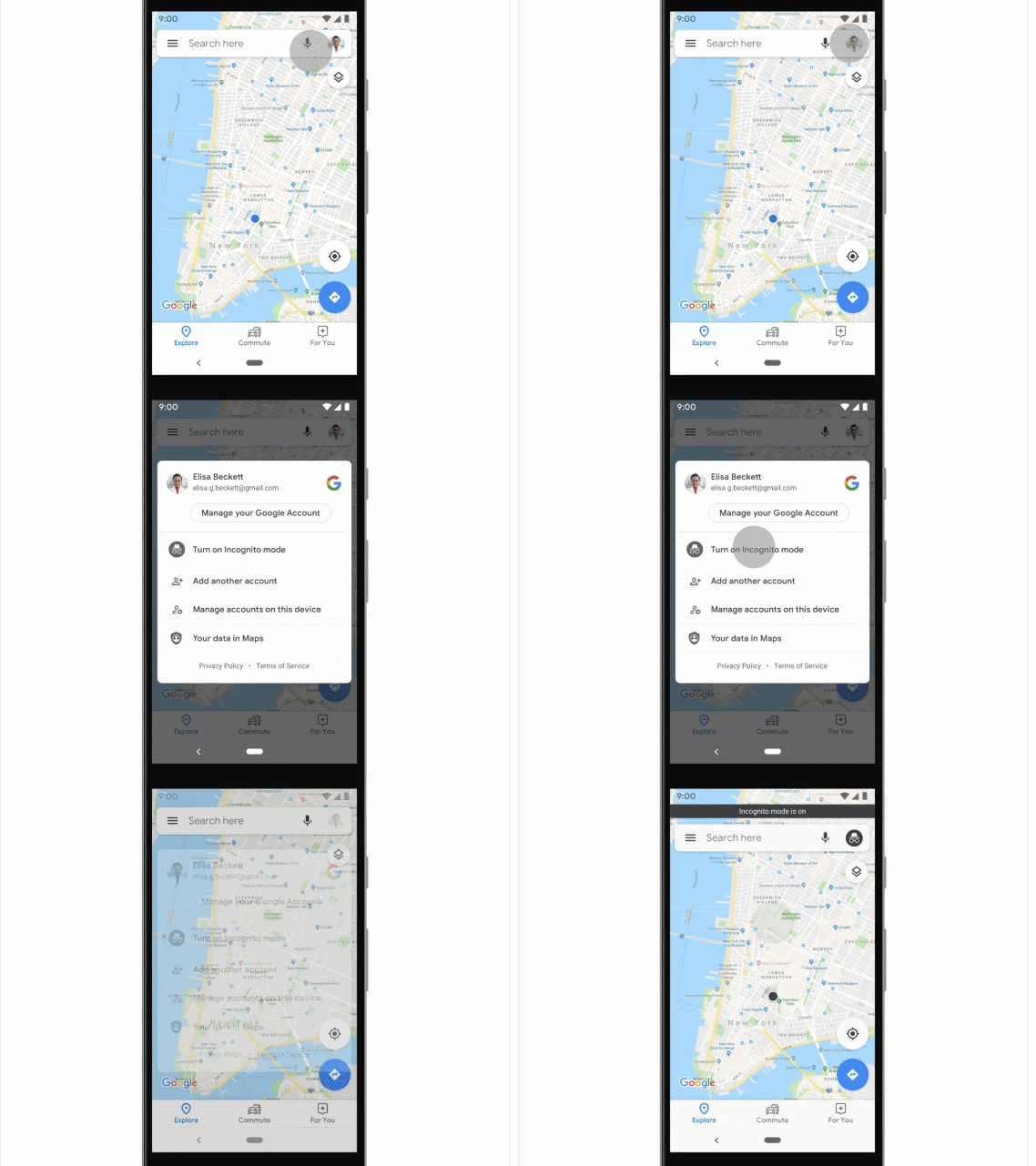
Being able to browse the web without leaving the usual local traces is a valuable tool for a lot of reasons, and now you can do the same thing in Google Maps. Incognito mode, announced today at Google I/O, prevents any movements or searches in Maps from being linked to your account or stored locally.

There are lots of reasons people might want to limit what their phone and Google account store when it comes to locations they look up or visit.

Take for example a person looking up nearby sexual health clinics. It’s a normal thing, but do you want it popping up on your “recently visited” list when you and a friend look up nearby happy hours?

Likewise someone who prefers to keep their visits to alcoholism support groups off the record, or a night out at a gay bar. Not everyone has the privilege of being able to be completely open about every aspect of their life.

It’s easy to turn on and turn off: Simply tap your profile picture in the top right, and in the few big options immediately presented should be incognito mode. Do the same thing to turn it off.

Note that this does not prevent your location from being logged by other entities by other means — for instance, your phone carrier will still know roughly where you are at all times because of how your device connects to its towers. And other apps and services that use location won’t be affected — for instance, if you have Incognito mode on, but then switch to a restaurants nearby type app, that app will be able to access your location freely.

Just as with privacy modes in web browsers, the protection this offers is limited but but some may be crucial. The feature should be rolling out to Maps users soon.